9
screw/auger is empty), proceed as follows:
1. Turn the stove off completely, using the general switch on the back
2. The display will show FINAL CLEANING and then OFF.
3. Turn the the power back on, using the general switch on the back.
4. Keep button P4 pressed for 2 seconds. CLOCK SETTING MENU will appear.
5. Press button P4 until the display shows STOVE STATUS MENU
3.6 Description of Menus
The stove has various functions, available in its individual programming menus. Some of these menus
are accessible by the user, others are protected by a password and accessible only by a Service
Technician.
The menus are as follows:
• CLOCK SETTING Menu
• CHRONO THERMOSTAT Menu
• LANGUAGE Menu
• SETTINGS Menu
• STOVE STATUS Menu
• WORKING HOURS Menu
• DATA BASE Menu (protected by a password)
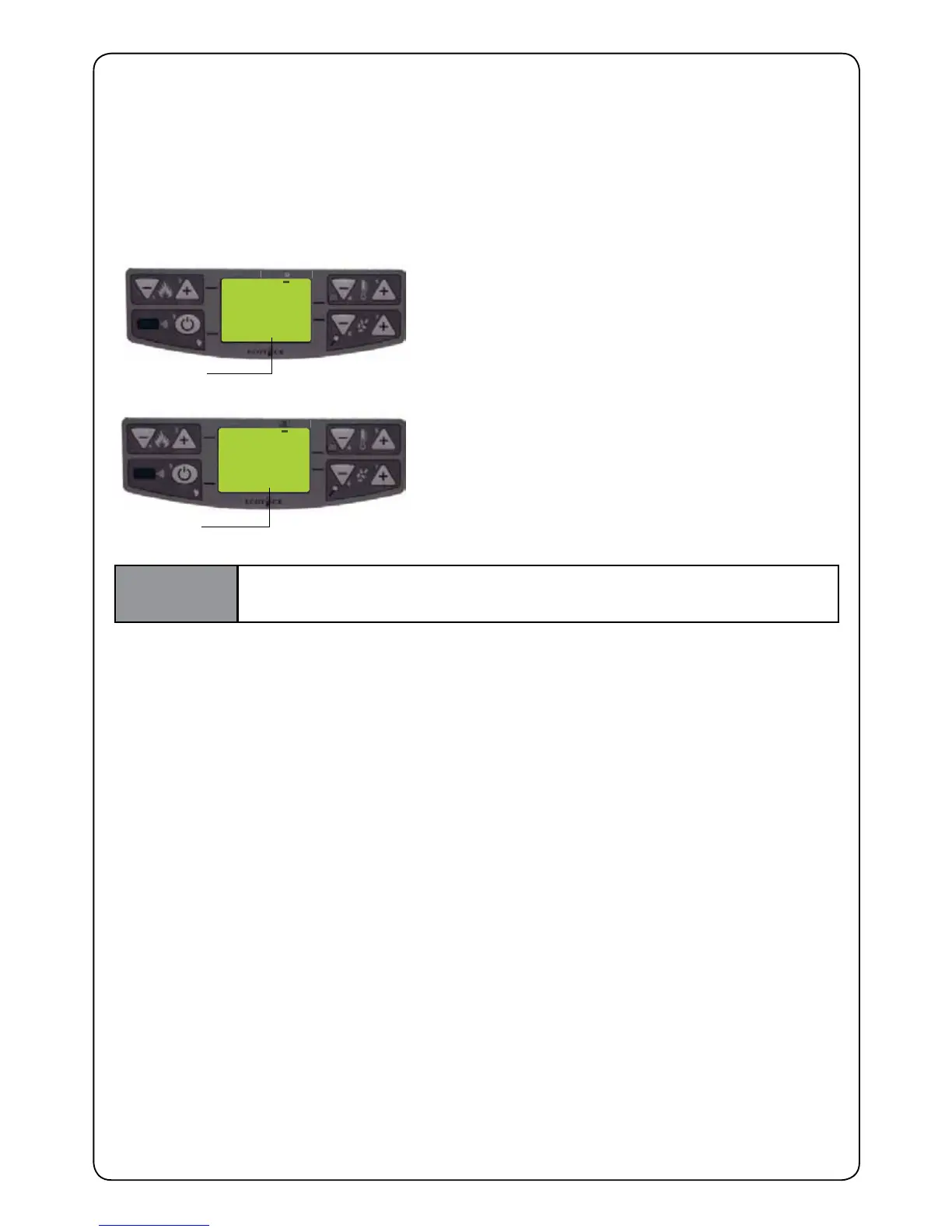
2000
150°
SCREW 0
STATE
THE SCREW IS IDLE
PRESS BUTTON P5 TO ACTIVATE THE SCREW
(AUGER)
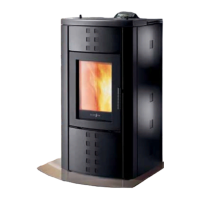
2000
150°
SCREW 1
STATE
SCREW ACTIVATED
Repeat the operation several times until you can see
the pellets fall into the re pot.
This operation is possible only if the stove is in nal
cleaning or shut down
IMPORTANT
AFTER LOADING THE SCREW/AUGER, EMPTY THE FIRE POT INTO THE
HOPPER BEFORE SWITCHING ON.


 To Next Page