10
EN
3.2 Quick Start
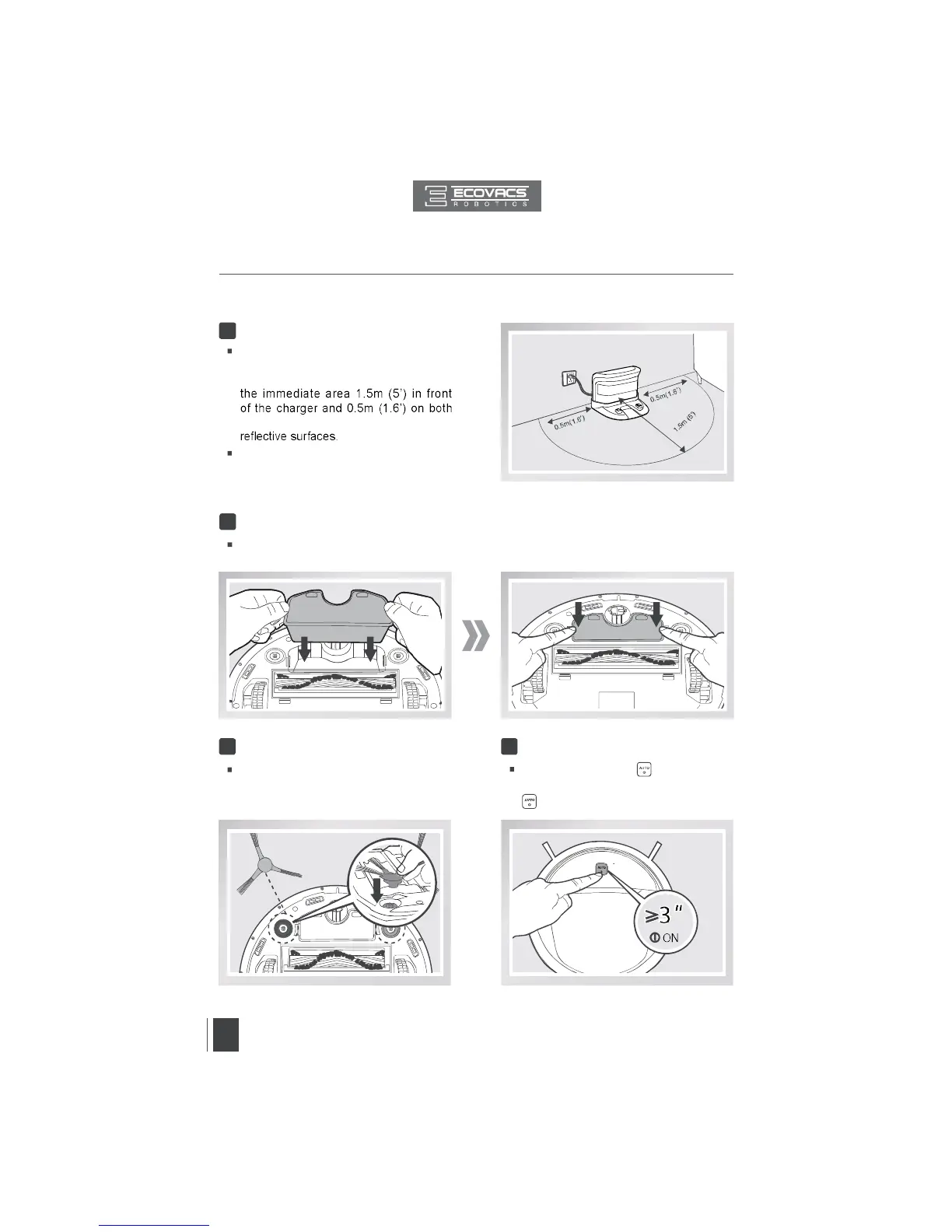
Charging Dock Placement
Place the Charging Dock on a level
floor surface against the wall with the
base perpendicular to the ground. Keep
sides of the charger clear of objects and
Plug the Charging Dock in.
1
Install the Battery Pack
Place the Battery Pack into the battery slot on the bottom of DEEBOT. Press the Battery Pack
into the slot until it clicks.
2
Install Side Brushes
Attach Side Brushes to the bottom of
DEEBOT by pressing a brush into each
slot with the matching color until it clicks.
3
Power ON
Press and hold the button on the
robot. DEEBOT is powered ON when the
glows a continuous BLUE.
4
3. Operating and Programming


 To Next Page