15
EN
3. Operating and Programming
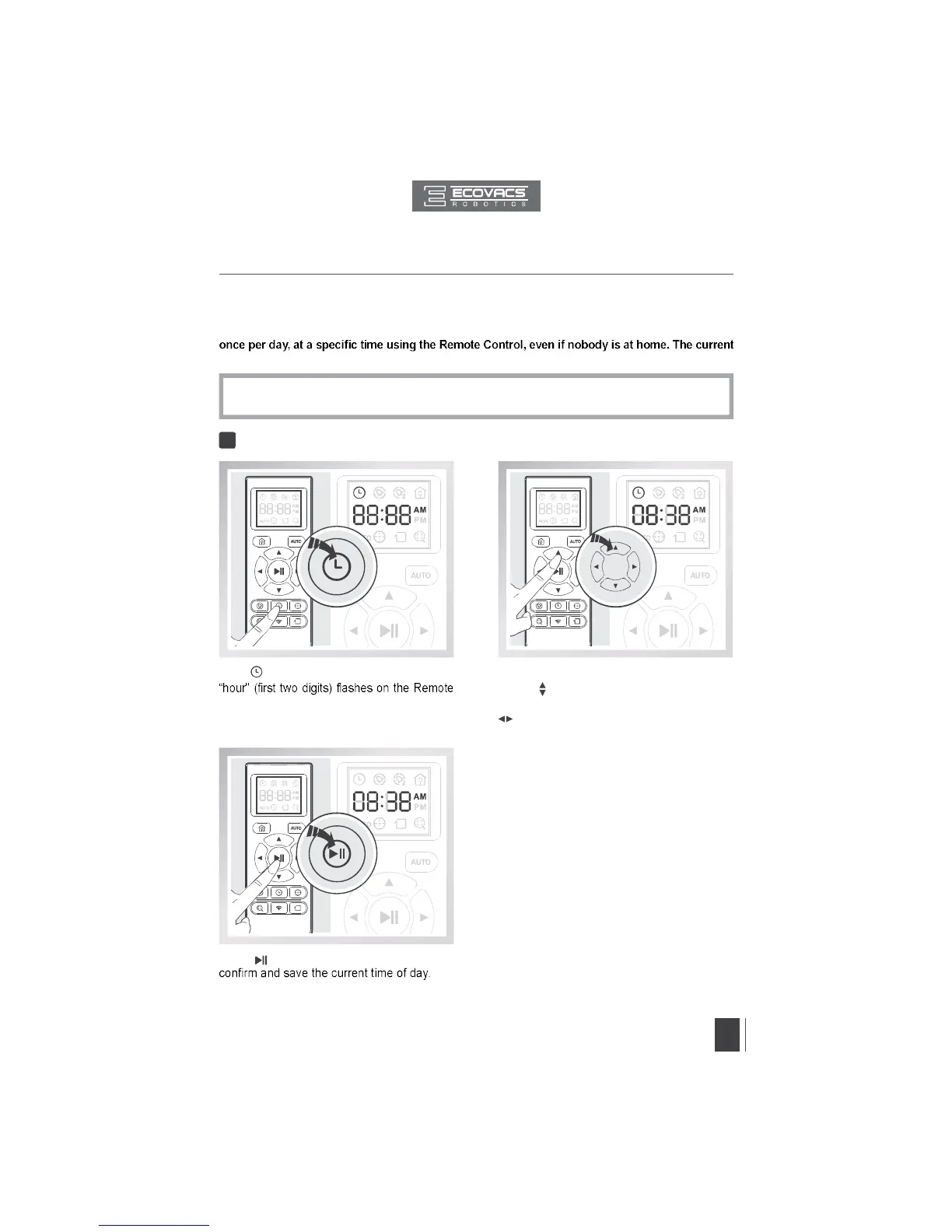
Set the Current Time of Day1
*
All scheduled cleanings are performed in AUTO Cleaning Mode.
*
The Remote Control uses a 12-hour clock with “AM” and “PM” indicators.
3.4 Programming the Robot
DEEBOT has a Time Scheduling function. DEEBOT can be programmed to automatically clean
time of day and the cleaning times are scheduled using the Remote Control.
Press button on the Remote Control to
Press the up and down Direction Control
Buttons to adjust “hour” and “minute” number.
Press the left and right Direction Control Buttons
to switch between “hour” and “minute.”
Press button on the Remote Control and the
Control LCD Screen.


 To Next Page