25
EN
No. Malfunction Possible Causes Solutions
11
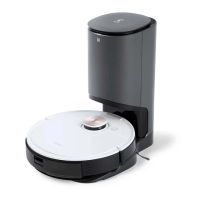
DEEBOT does not start auto-
emptying after returning to the
Auto-Empty Station.
The Dust Container Lid is not closed. Close the Dust Container Lid.
The Dust Bag is not installed to the Auto-Empty
Station.
Install the Dust Bag and close the Dust Container Lid.
Manually move DEEBOT to the Auto-Empty Station
will not trigger Auto-Emptying.
In order to make sure DEEBOT starts auto-emptying successfully,
avoid picking up and moving the Auto-Empty Station during the
cleaning.
DEEBOT returns to the Auto-Emptying Station
running Video Manager in the App.
This is normal.
Do Not Disturb mode is enabled in ECOVACS
HOME App.
This is normal. Disable Do Not Disturb mode in the App, or start
auto-emptying manually.
The Dust Bag is full. Replace the Dust Bag and close the Dust Container Lid.
If the possible causes are excluded, it might be a
component malfunction.
Please contact customer service.
12
DEEBOT fails to auto-empty the
Dust Bin.
The Auto-Empty Dust Bin is not installed.
Please install the Auto-Empty Dust Bin with two Auto-Empty
Outlets on the bottom.
The Dust Bag is full. Replace the Dust Bag and close the Dust Container Lid.
The Auto-Empty Outlets on the Auto-Empty Dust
Bin is stuck by debris.
Uninstall the Auto-Empty Dust Bin and clean the debris on the
Auto-Empty Outlets.
Dust Evacuation Tube is blocked. Clean the Dust Evacuation Tube.





 To Next Page