EN∣28
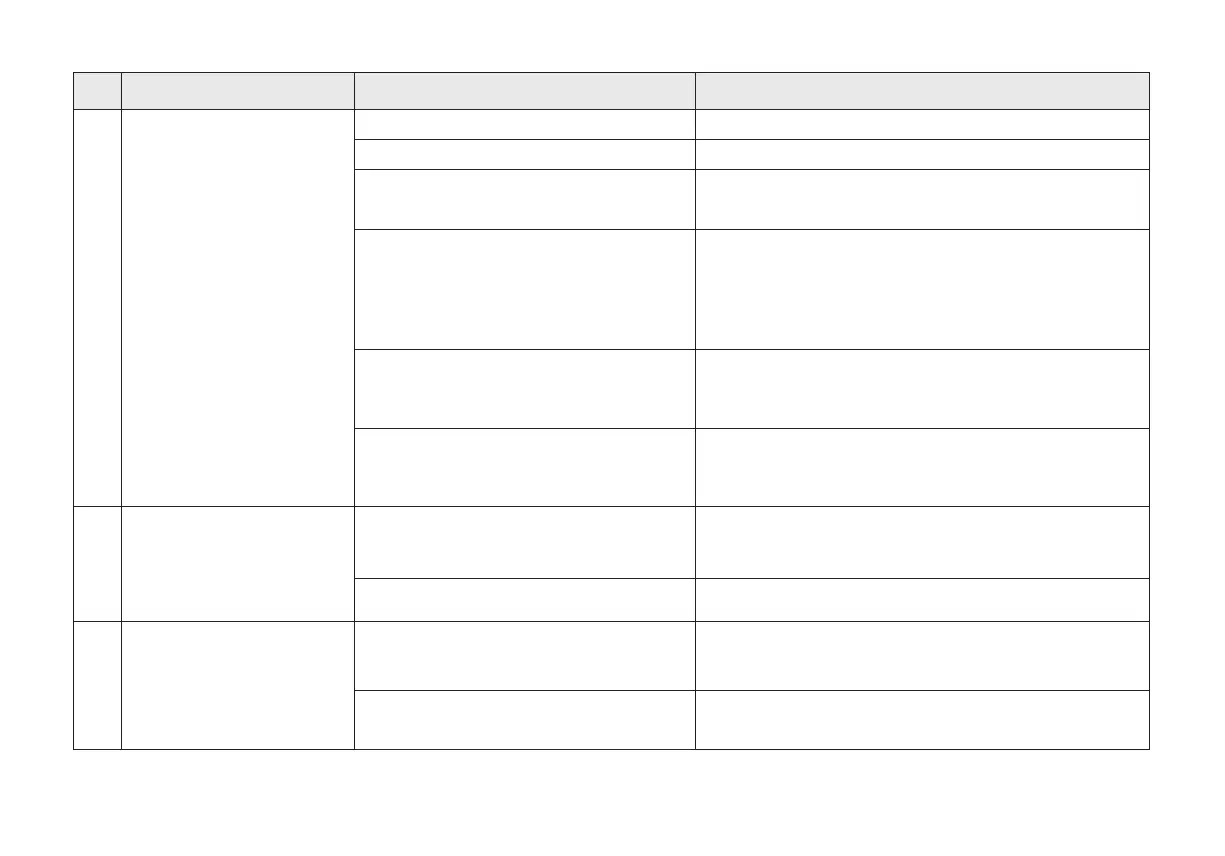
Auto-Empty Station cover is open.
The outlet of dust box is blocked.
Dust Bag is uninstalled.
Close the Auto-Empty Station cover.
Install dust bag and close the Auto-Empty Station cover.
NO. Issues Possible Causes Solutions
Let the Robot returns to Auto-Empty Station automatically,
don't move it manually.
10
11
The Auto-Empty Station can't
collect dust when Robot
returns.
Dust Collection failed.
If "Do Not Disturb" mode is activated in
ECOVACS HOME App, Auto-Empty Station
does not collect dust automatically when the
Robot returns.
Auto-Empty Station detects that the dust
collection efciency is low.
Cancel the "Do Not Disturb" mode in ECOVACS HOME App,
or start the dust collection manually.
Replace the dust bag according to "Maintenance" in user
manual, and close the Auto-Empty Station cover. If App
reminds that the dust bag is not full, reinstall it.
Please contact after-sales service.
Take out the 2 in 1 Module, and clean the dust box outlet.
Replace the dust bag according to "Maintenance" in
user manual, and close Auto-Empty Station cover. If App
remind that the dust bag not full, reinstall it.
Robot is manually moved to Auto-Empty
Station and Auto-Empty is not triggered.
If the above possible reasons have been
ruled out, there may be an abnormality in
the components of the Auto-Empty Station.
Auto-Empty Station detects that the dust
collection efciency is low.
The inner side of Auto-Empty
Station is dirty.
Clean the inner side of the Auto-Empty Station.
The dust bag is broken.
Fine particles penetrates the dust bag
and sticks on the inner side of the
Auto-Empty Station.
Replace the dust bag.
12













 To Next Page