3. Operating WINBOT
Place on the Glass
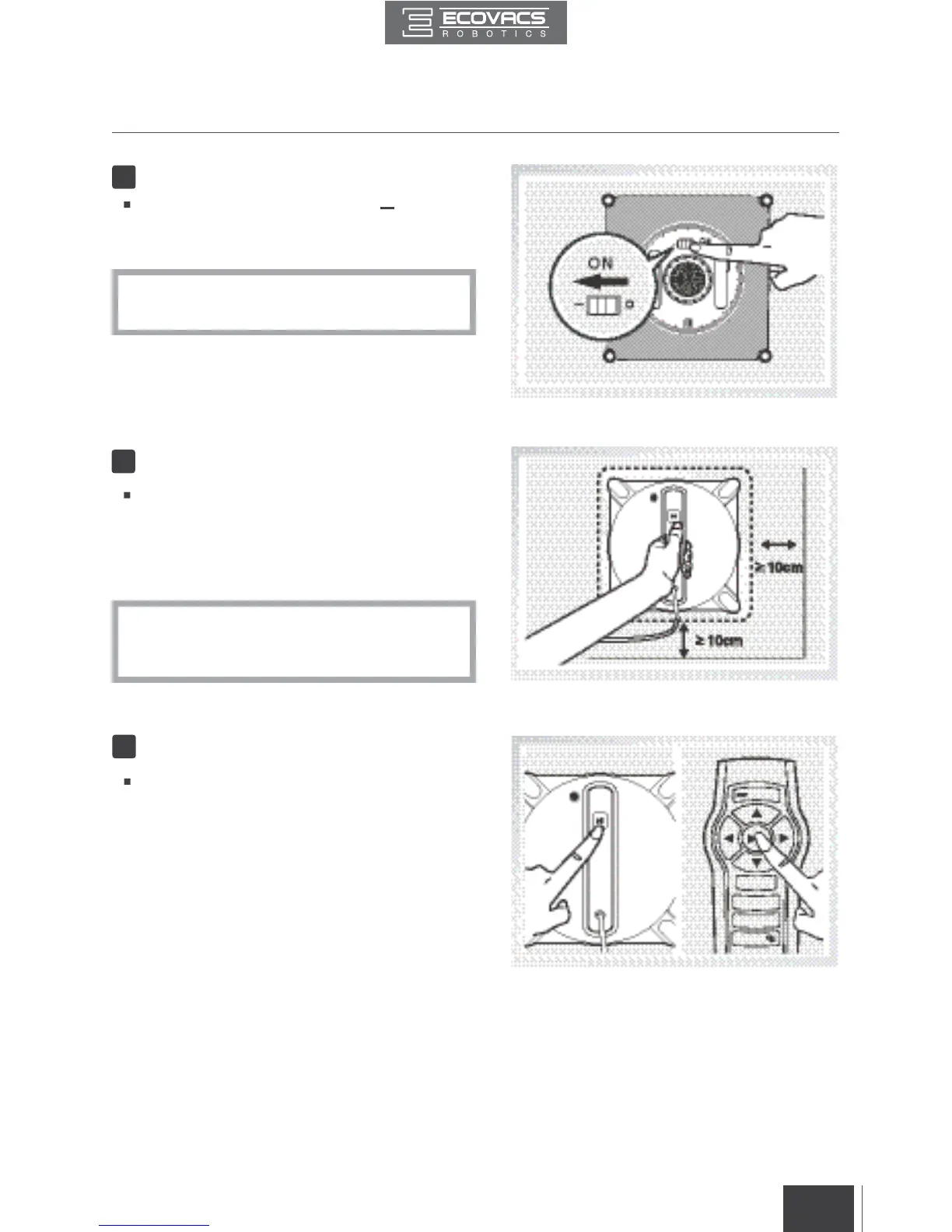
Power ON
3
2
Move the Power Switch to the “ ” position.
WINBOT is powered ON when the Status
Indicator Light ashes BLUE.
Place WINBOT on the window at least 10cm
(4”) from window corners or other obstacles.
WINBOT has successfully attached to the
window when the Status Indicator Light glows a
continuous BLUE.
*
Keep objects away from WINBOT’s Fan to
avoid blockage.
*
Please ensure there is a 15cm (5.9”) clearance
between the glass and obstacles in the room
like curtains or furniture.
Start
4
Start WINBOT by pressing the START/PAUSE
Button on the robot or on the Remote Control.





 To Next Page