13
EcoTalk
Press the EcoTalk button to activate the voice assistant on your device
(Siri, OK Google, etc.). Once activated, the speakerphone mic on your
EcoTrek will hear your voice commands and transfer them to the voice
assistant on your device.
Notes:
· Before using the EcoTalk function, your device must be connected to
the EcoTrek via Bluetooth.
· Not all devices have voice assistant functionality; refer to your device
for details.
Listening (AM/FM Mode)
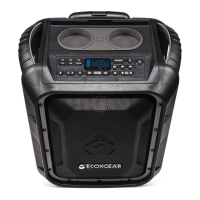
Press SOURCE briefly to switch to FM or AM. Press to tune in a
radio station. To “seek” (jump to the next available station), press and
hold either button down for a few seconds until it starts to seek a station.
Press to adjust the volume.
AM/FM audio cannot be sent between two speakers via the EcoConnect
feature. Only Bluetooth audio works with EcoConnect.
AM/FM Presets
Store a favorite radio station to quickly tune to a preset radio station.
There are 6 positions for AM station and 6 positions for FM stations.
While listening to a station you want to store, press and hold a preset
button (P1~P6) to assign the current station to that preset number. The
LED screen will flash 2 times to indicate it has been set.
If you want to listen to a stored preset, press a preset button (P1~P6) to
go to the stored radio station.


 To Next Page
 Loading...