14
Equalization
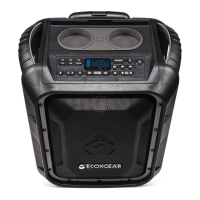
Press the EQ button once to activate the Preset EQ modes. Use the Tune
buttons to cycle through the five modes: Normal, Classical, Pop, Jazz,
and Rock.
After six seconds of inactivity, the EcoTrek will automatically exit the EQ
Input screen; the EQ button must be pressed again to change modes.
Note: The EcoTrek will automatically save your EQ settings even after
powering the speaker off.
LED Screen: Preset EQ Modes
Normal: the default setting
for best overall performance.
Jazz: mainly increases
the high frequencies.
Rock: increases volume level; may
cause distortion on some songs.
Classical: increases
bass performance.
Pop: increases both midrange
and high frequencies.


 To Next Page
 Loading...