38
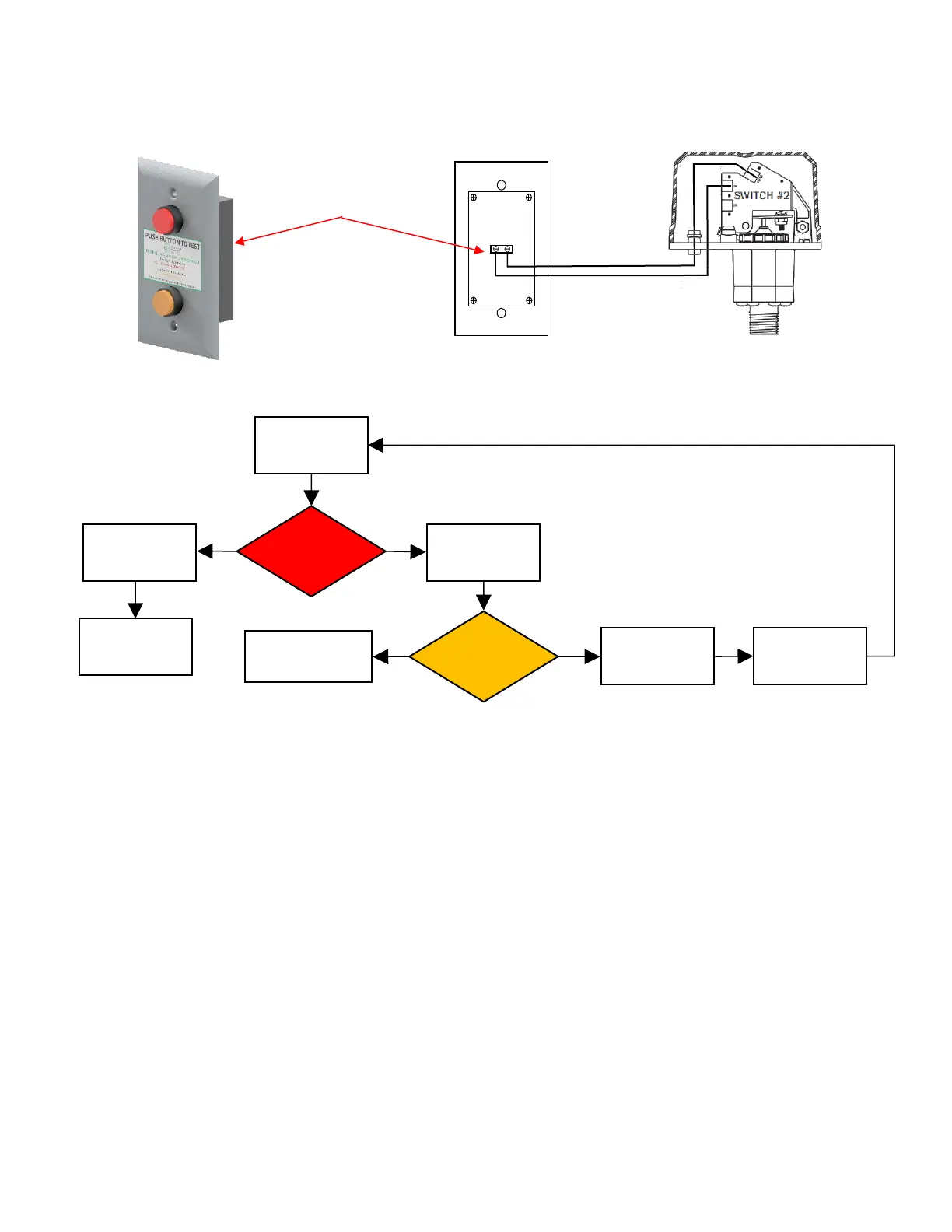
ECS Detector Remote Test Station
Detector Remote Test Station Operation Flowchart
Response to Device Activation
Activation of the pressure switch indicates that the thin wall section of the device has failed and the
pressure chamber is exposed to system pressure. Contact ECS for instructions regarding replacement and
testing of the failed In-Line Corrosion Detector.
Battery Test and Replacement
1. Press Amber LED Push Button. If Amber LED does not illuminate, battery replacement is required.
2. Remove Remote Test Station from electrical mounting box, remove four (4) back cover screws,
remove two (2) 2032 batteries from battery holder.
3. Replace battery with two (2) Energizer Part No. CR2032 only*, re-install battery holder in backbox,
reinstall back cover with four (4) screws and reinstall Remote Test Station in electrical mounting
box.
* Use of another battery may present a risk of fire or explosion.
CAUTION: Battery may explode if mistreated. Do not recharge, disassemble or dispose of in fire.
These cells are intended for use at ordinary temperatures where anticipated high temperature
excursions are not expected to exceed 100°C (212°F).


 To Next Page