70
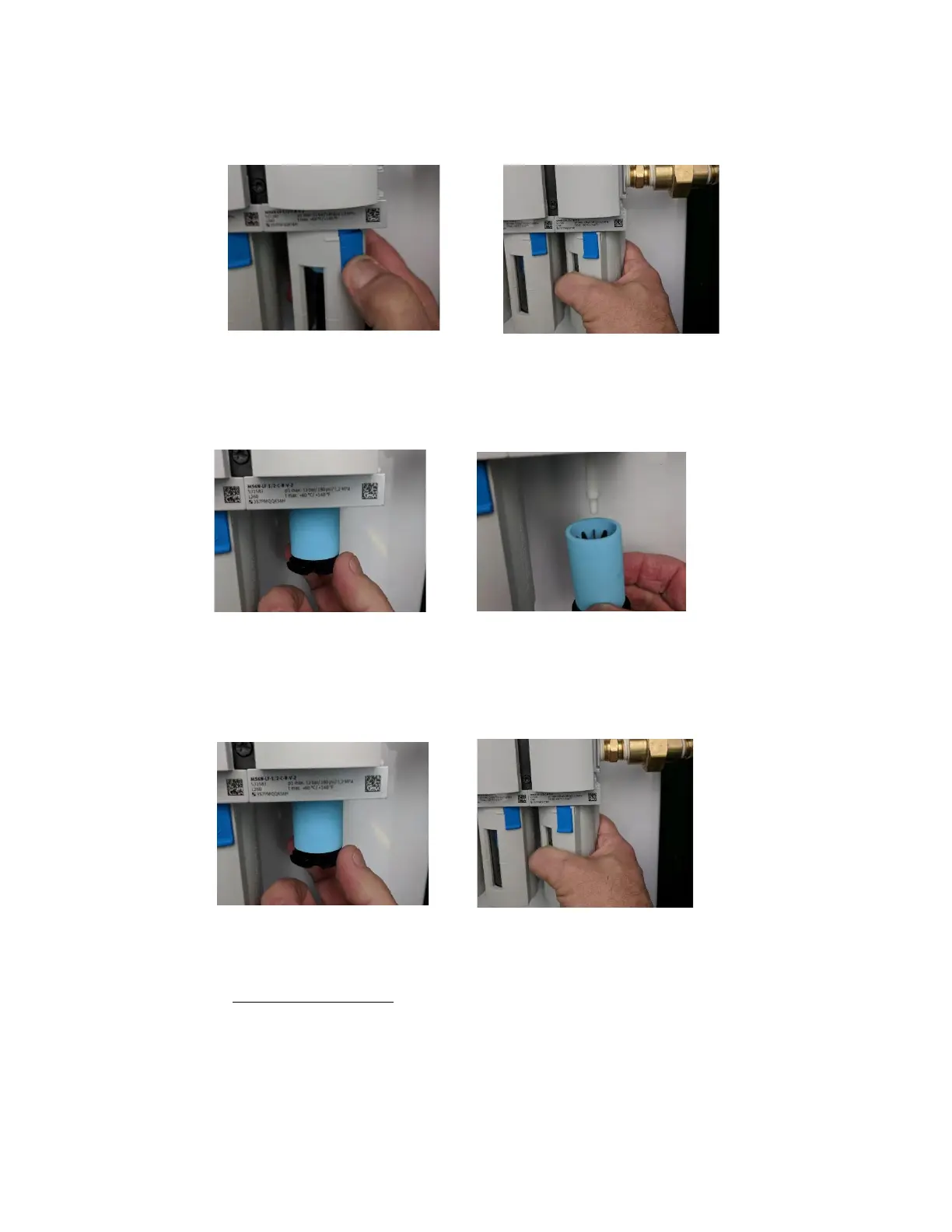
3. Remove filter housing of 5-Micron Coalescing Filter Housing by pulling down on blue housing
lock and turning filter housing counterclockwise.
4. Remove black plastic filter plate underneath filter by turning counterclockwise. Remove old
Coalescing Filter from the filter housing.
5. Replace with new 5-Micron Coalescing Filter, re-install black filter plate, re-install filter housing
turning filter housing clockwise until blue housing lock latches.
6. Repeat this process for 1-Micron and .01-Micron filters adjacent to water separator, using the kit
contents table as a guide to match the filters with the correct housings. Be very careful to do this
process one filter at a time to ensure the filters do not get mixed in the process.
NOTE: The 1-Micron and .01-Micron Filters do not include black plastic filter plate and screw
directly into the top of the housing.



 To Next Page