59
NVIDIA® Hybrid SLI® Technology Support
Chapter 6
NVIDIA
®®
®®
®
SLI
®®
®®
®
Technology Support
This motherboard supports the NVIDIA
®
SLI
®
Technology that allows you to
install multi-graphics processing units (GPU) graphics cards. Follow the installation
proce-dures in this section.
Requirements
1. Two identical SLI
®
ready graphic cards are needed for the setup of 2-Way SLI
configuration.
2. Make sure that your graphics card driver supports the NVIDIA
®
SLI
®
tech-
nology.
3. Make sure that your power supply unit (PSU) can provide at least the minimum
power required by your system.800W PSU is required for the setup of 2-way SLI
configuration.
1. Install both of the NVIDIA
®
SLI-Ready graphics cards.
Installing your NVIDIA
®
SLI-Ready Components
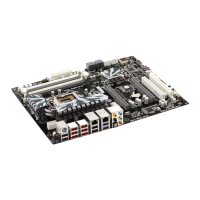
For 2-Way configuration, install two graphic cards on PCIEX16_1 & PCIEX16_2
and connect them with one SLI bridge.


 To Next Page