53
C
C
h
h
a
a
p
p
t
t
e
e
r
r
4
4
Using the Motherboard Software
A
A
b
b
o
o
u
u
t
t
t
t
h
h
e
e
S
S
o
o
f
f
t
t
w
w
a
a
r
r
e
e
C
C
D
D
-
-
R
R
O
O
M
M
The support software CD-ROM that is included in the motherboard package
contains all the drivers and utility programs needed to properly run the bun-
dled products. Below you can find a brief description of each software
program, and the location for your motherboard version. More information on
some programs is available in a README file, located in the same directory
as the software.
Note: Never try to install software from a folder that is not specified for use with
your motherboard.
Before installing any software, always inspect the folder for files named RE-
ADME.TXT, INSTALL.TXT, or something similar. These files may contain
important information that is not included in this manual.
A
A
u
u
t
t
o
o
-
-
i
i
n
n
s
s
t
t
a
a
l
l
l
l
i
i
n
n
g
g
u
u
n
n
d
d
e
e
r
r
W
W
i
i
n
n
d
d
o
o
w
w
s
s
9
9
8
8
/
/
M
M
E
E
/
/
2
2
0
0
0
0
0
0
/
/
X
X
P
P
The Auto-install CD-ROM makes it easy for you to install the drivers and soft-
ware for your motherboard.
Note:
If the Auto-install CD-ROM does not work on your system, you can still in-
stall drivers through the file manager for your OS (for example, Windows
Explorer). Refer to Utility Folder Installation Notes later in this chapter.
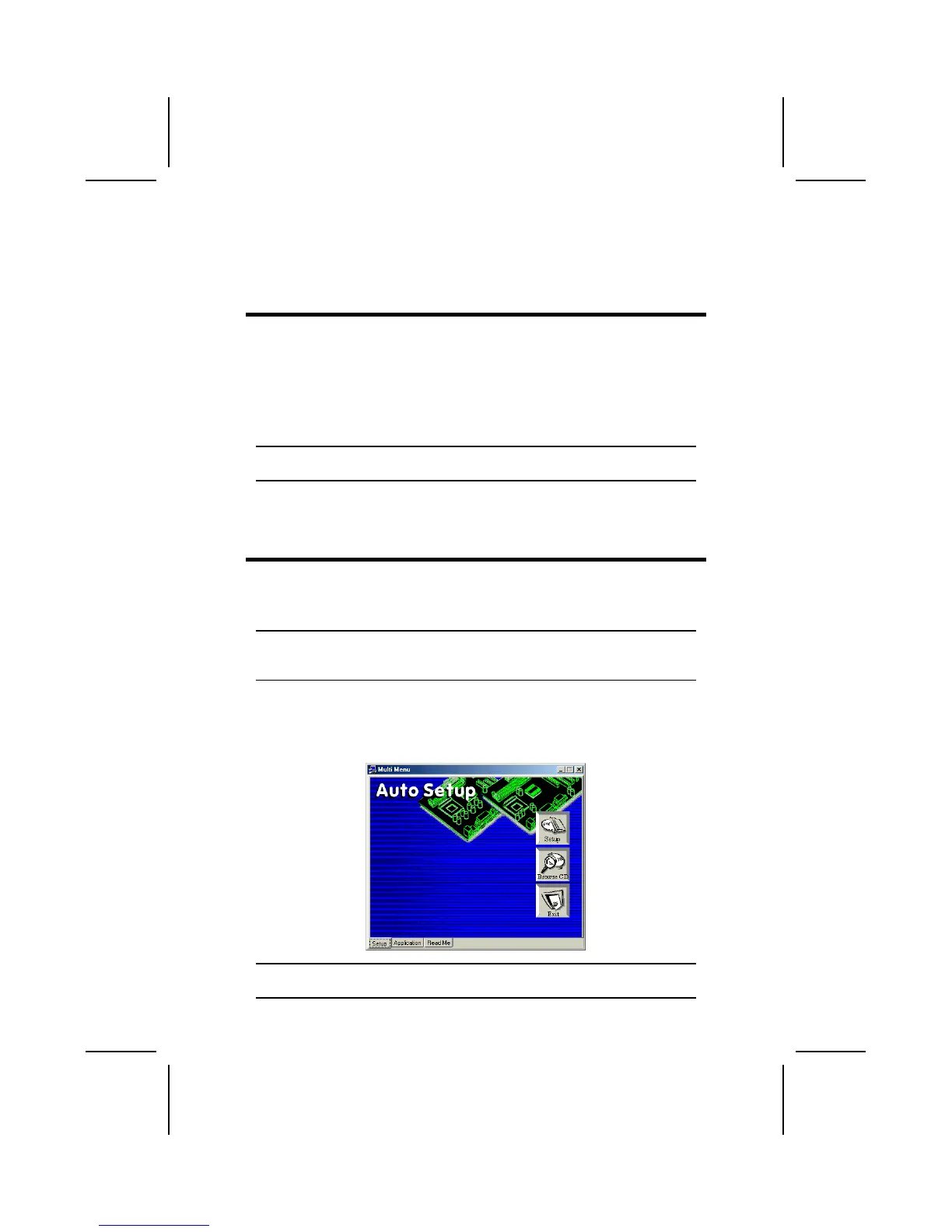
The support software CD-ROM disc loads automatically under Windows
98/ME/2000/XP. When you insert the CD-ROM disc in the CD-ROM drive, the
autorun feature will automatically bring up the install screen. The screen has
three buttons on it, Setup, Browse CD and Exit.
Note: If the opening screen doesn't appear, double-click the file "setup.exe" in
the root directory.



 To Next Page