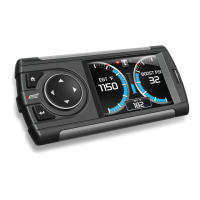
Ford 4.6 and 5.4 Liter Evolution
32
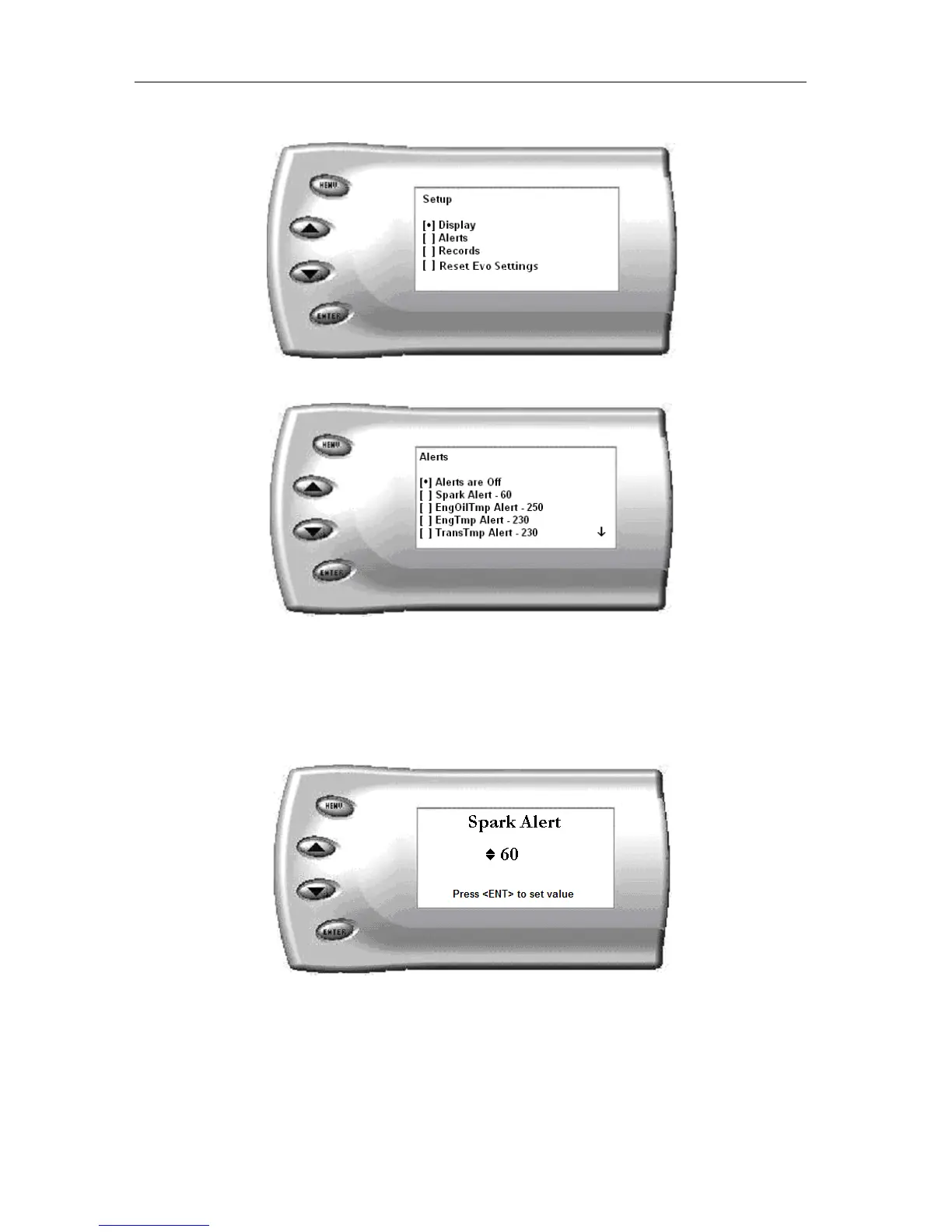
1. From the Main Menu select the Setup option. The Setup screen appears
as follows:
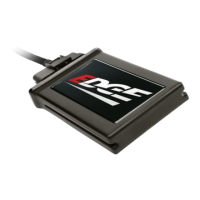
2. Select the Alerts option. A screen similar to this will appear:
3. By default, the alerts are off. To turn them on, select the Alerts are Off
option and press [ENTER]. The text line will now read Alerts are On.
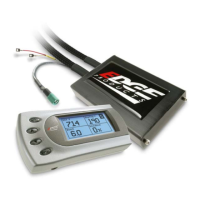
To change the value of a certain alert, select the parameter you want to
change and press [ENTER]. The screen similar to the following will
appear:
4. Press the [UP] and [DOWN] arrow keys until you have reached the
desired value. Pressing [ENTER] will save the current alert value. If
you would like to return to the previous screen and abort the current
value change, press [MENU].


 To Next Page