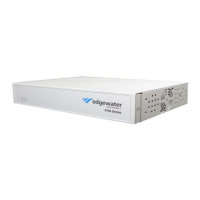
Need help?
Do you have a question about the Edgewater Networks EdgeMarc 4800 and is the answer not in the manual?
General guidelines for installing the EdgeMarc appliance on desktop, wall, shelf, or rack.
Explains the importance of grounding and surge protection for the device.
Provides instructions on how to properly ground the EdgeMarc unit.
Steps for placing the device on a flat surface.
Steps for connecting power and network cables to the device.
Instructions on how to power up the device and check status LEDs.
Guides users through initial connection and login via a web browser.
Provides FCC and Industry Canada compliance statements and warnings.
Lists basic safety precautions for using telephone equipment.
Details the 5-year limited warranty for hardware defects.
 General
| Model | EdgeMarc 4800 |
|---|---|
| Category | Controller |
| WAN Interfaces | 2 x 10/100/1000Base-T |
| LAN Interfaces | 4 x 10/100/1000Base-T |
| Humidity | 10% to 90% non-condensing |
| Power over Ethernet (PoE) | No |
| Operating Temperature | 32°F to 104°F (0°C to 40°C) |
| Storage Temperature | -4°F to 158°F (-20°C to 70°C) |
| Certifications | FCC Part 15 Class A, UL |
| Ethernet Ports | 6 x 10/100/1000Base-T |

 To Next Page