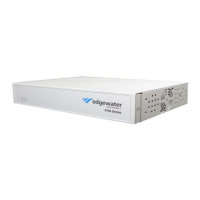
EdgeMarc 4800 Hardware Installation Guide
4 © 2016 Edgewater Networks. All Rights Reserved.
Document Organization
Contact and Support Information
Headquarters
5225 Hellyer Ave., #100
San Jose, CA 95138
(408) 351-7200
Fax: 408.727.6430
General: info@edgewaternetworks.com
Sales: sales@edgewaternetworks.com
Edgewater Networks, Inc. - Technical Assistance Center
Phone: 408.351.7200 ext. 2
support@edgewaternetworks.com
Item Description
Chapter 1, Product Overview Describes EdgeMarc 4800 hardware
components.
Chapter 2, Physical Installation Provides instructions for installing the
EdgeMarc 4800 hardware.
Chapter 3, Configuring Basic Network
Settings
Describes how to power on the EdgeMarc and
access the graphical user interface (GUI) to
configure basic network settings for the first
time.
Safety, Compliance, and Certifications Describes EdgeMarc 4800 specifications and
certifications.
License and Warranty Information License information related to the operation of
EdgeMarc hardware and software.


 To Next Page