19
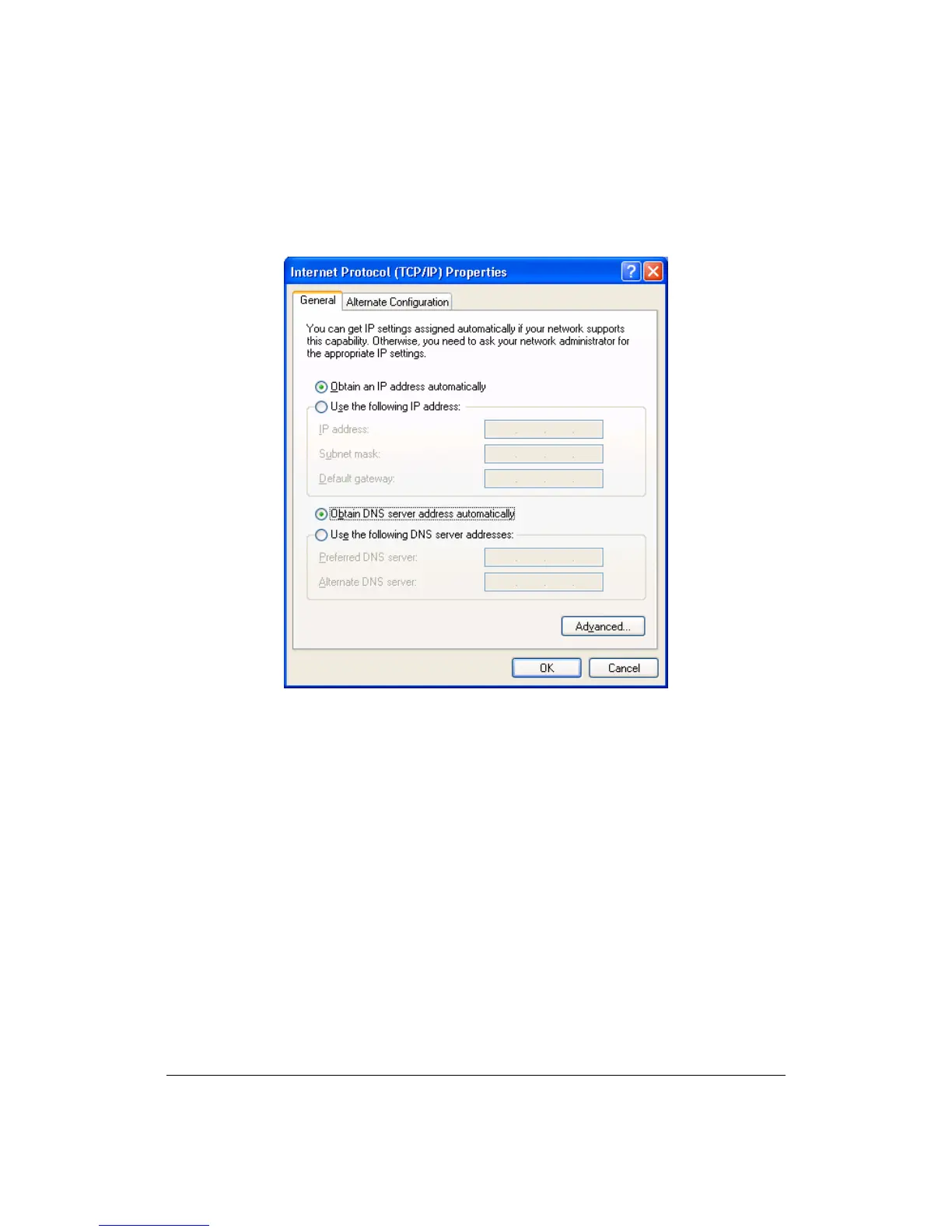
4. In the Internet Protocol (TCP/IP) Properties window, select Obtain an IP
address automatically and Obtain DNS server address automatically as
shown on the following screen.
5. Click OK to confirm the setting. Your PC will now obtain an IP address
automatically from your router’s DHCP server.
Note: Please make sure that the router’s DHCP server is the only DHCP
server available on your LAN.



 To Next Page