39
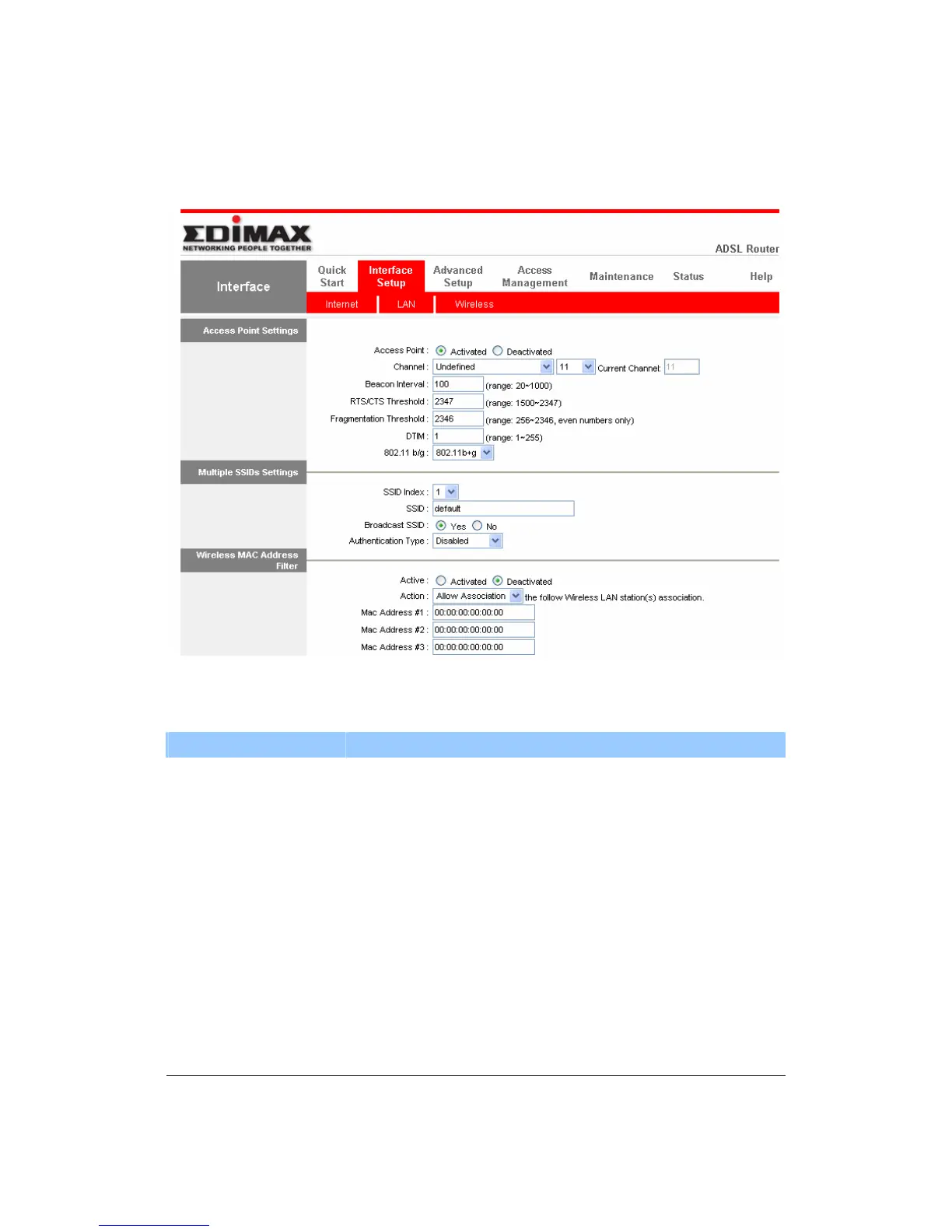
5.2.3. Wireless(For AR-7084gA / AR-7084gB Only )
z Access Point Settings
Parameter Description
Access Point Activated or deactivated the wireless function of the
router. When it is activated, the router will be an access
point for other wireless clients to connect wirelessly.
Channel It is the radio channel used by the wireless LAN. All
devices in the same wireless LAN should use the same
channel. Please select the country you are located and
designate a channel that the router will use. If you want
to let the router automatically find an available channel
with the highest signal strength, please select “Auto”. The
auto-selective channel will be shown in the “Current
Channel” field.



 To Next Page