63
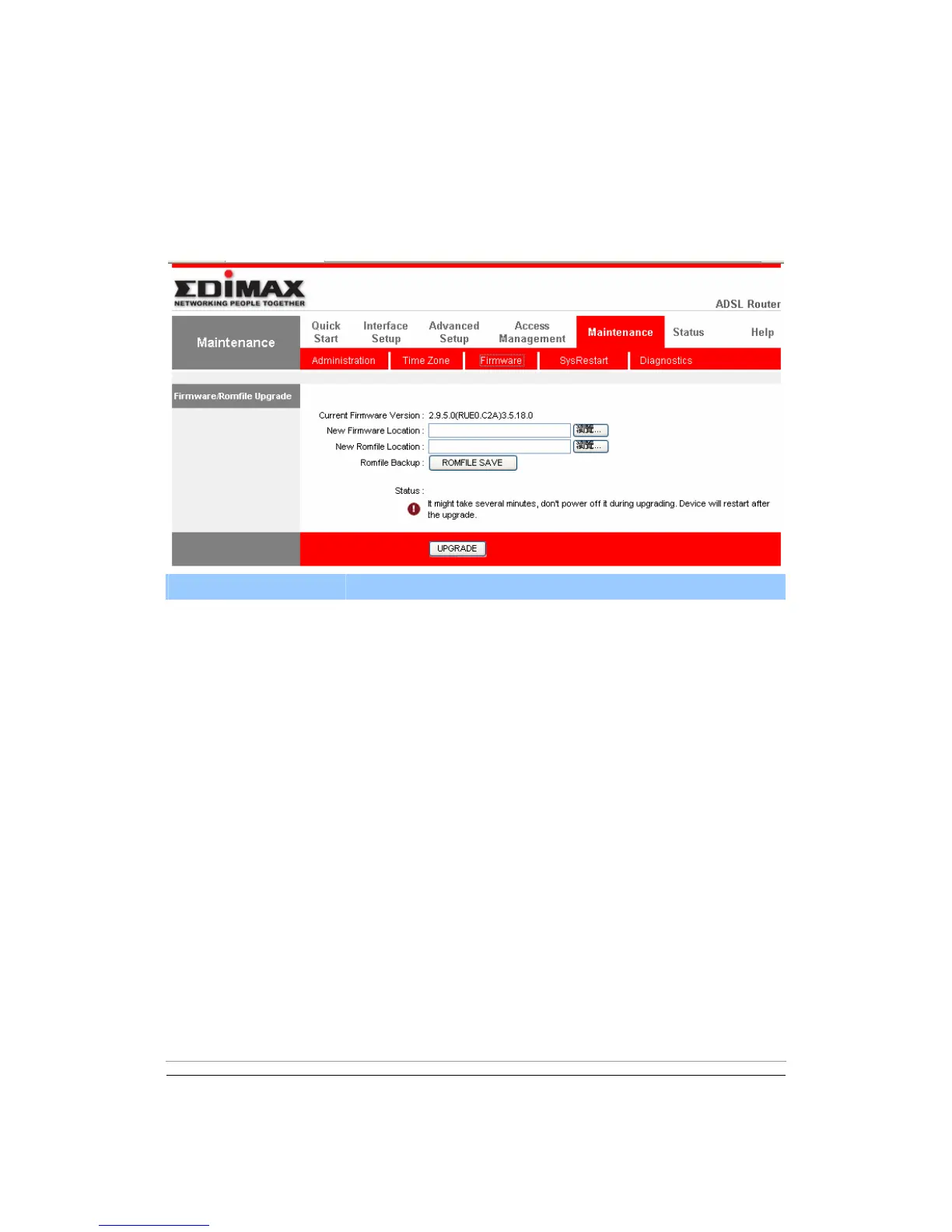
5.5.3. Firmware
If you have new firmware for some features update, please upgrade firmware of
the router here.
Parameter Description
Current Firmware
Version
The current firmware version will be shown here.
New Firmware
Location
Type in the location of the new firmware or click “Browse”
to find it.
New Romfile Location To restore the backup settings, please type in the
location of the backup file or click “Browse” to find it.
Romfile Backup To save the current settings as a backup file, please click
“ROMFILE SAVE”. Then please change the file name
and select the location you want to save the file.
Upgrade Click “Upgrade” to begin the upgrade processes or
backup file restoring processes. After the router is
restarted, the processes are completed. It might take
several minutes, don't power off the router during
upgrading or restoring.



 To Next Page