EasyManua.ls Logo

Edimax IC-3030 - General Settings

Edimax IC-3030
129 pages
Print Icon
To Next Page IconTo Next Page
To Previous Page IconTo Previous Page
Loading...
97
3-3-2 General Settings
You can set system-wide settings of this IP camera surveillance software in
this menu.
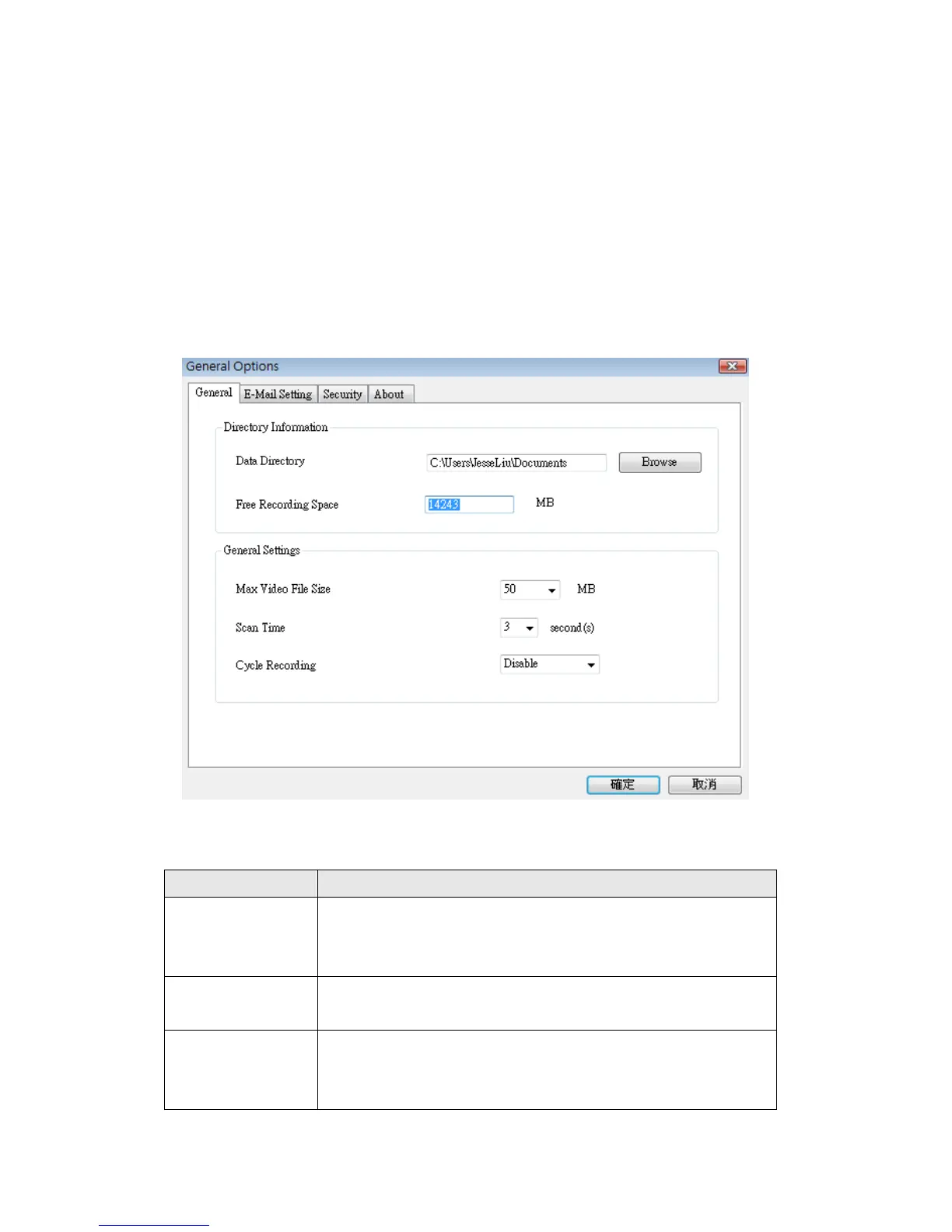
3-3-2-1 „General‟ tab
All general settings like file storage directory and recording spaces can be set
here.
Here are the descriptions of all setting items:
Item
Description
Data Directory
Set the directory (folder) you wish to store the recorded
video and captured image. You can click „Browse‟ button
to pick a directory in your hard disk.
Free Recording
Space
Displays remaining storage space.
Max Video File
Size
Defines the maximum file size of every video file. When
the size of file exceeds this value, IP camera surveillance
software will open another file to record the video.

Other manuals for Edimax IC-3030

Related product manuals