17
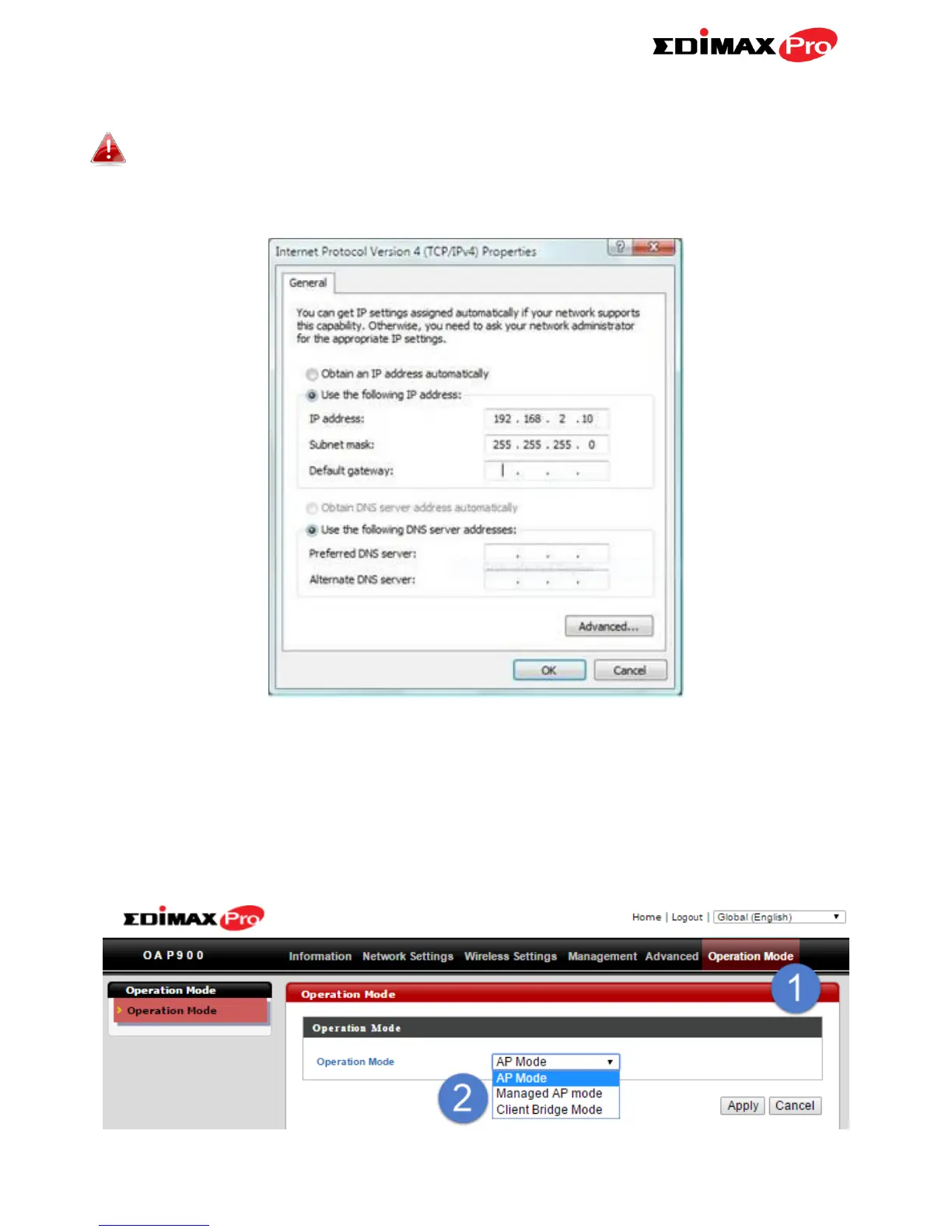
Your computer’s IP address must be in the same subnet as the AP
Controller. If you changed the AP Controller’s IP address, or if your
gateway/router uses a DHCP server, ensure you enter the correct IP
address.
6. Enter the username & password to login. The default username &
password are admin & 1234.
7. You will arrive at the Edimax Pro NMS Dashboard. Go to “Operation
Mode” and select “Managed AP Mode” from the drop down menu.



 To Next Page