49
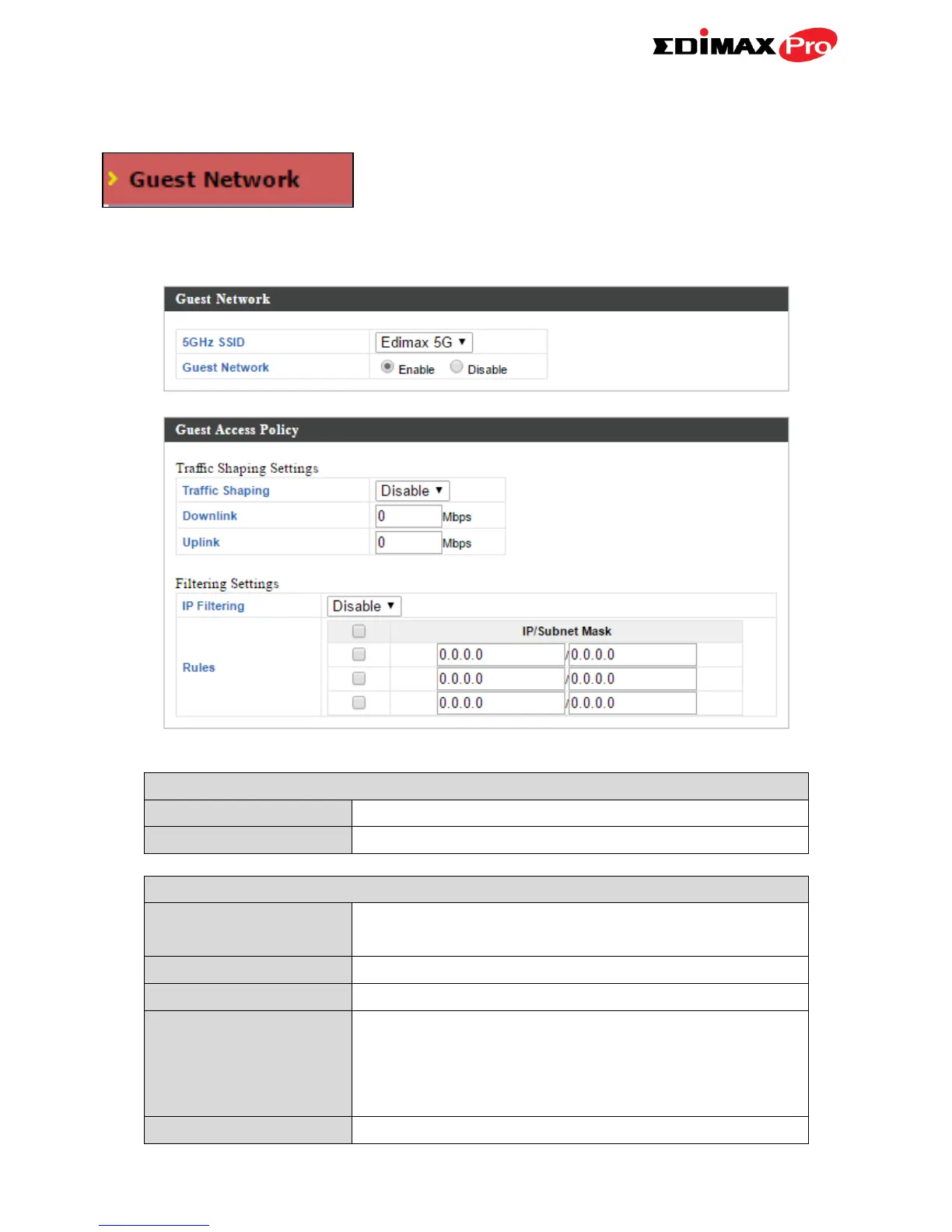
IV-3-3-5. Guest Network
You can setup an additional “Guest” Wi-Fi
network so guest users can enjoy Wi-Fi
connectivity without accessing your primary
networks. Enable a guest network and then configure the settings.
Displays the guest network name (SSID).
Enable or disable the guest network.
Enable or disable traffic shaping for the guest
network.
Enter a downlink limit in MB.
Enter an uplink limit in MB.
Select “Deny” or “Allow” to deny or allow
specified IP addresses to access the guest
network. Select “Disable” to disable IP
filtering.
Enter IP addresses to be filtered according to



 To Next Page