Version of 14 June 2016 27
►Internet
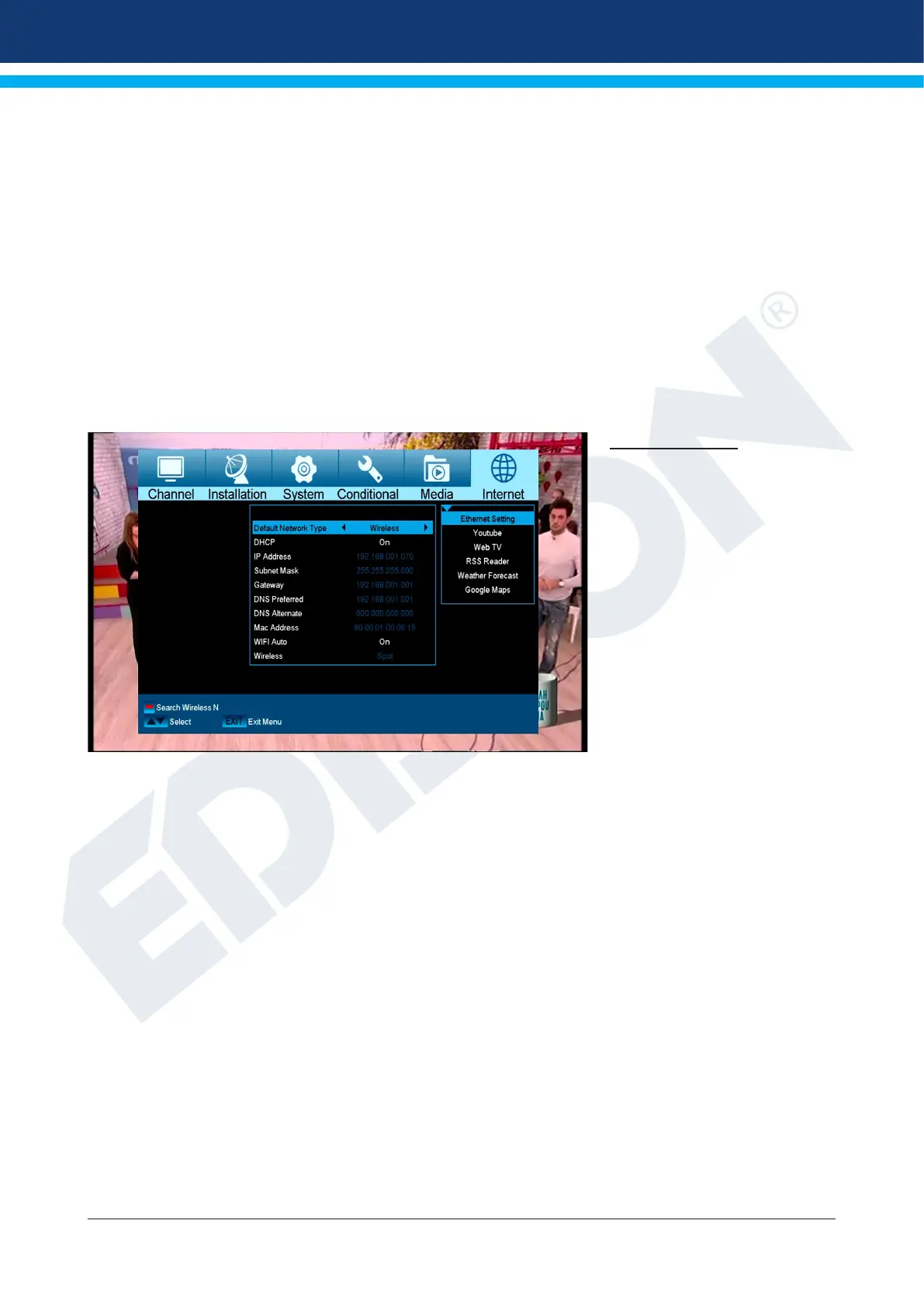
► Ethernet Settings
► YouTube
► Web TV
► Rss Reader
► Weather Forecast
► Google Maps
Ethernet Settings
Note: The IP Address, Subnet
Mask, Gateway, DNS Preferred
and DNS Alternate items are
only accessible if the ‘Off’ value
is set at the ‘DHCP’ item.
Functions and settings in the
menu:
DHCP: When running a
DHCP server on your network,
it is possible to assign an IP
address automatically to the
receiver. For this purpose, set
the ‘On’ value here. If DHCP is
not used in your network, enter
the appropriate values manually
for the following items.
IP Address: Enter an unassigned IP address from your network here.
Subnet Mask: Enter the subnetmask corresponding to the network here.
Gateway: Enter the IP address of the Gateway to the Internet here.
DNS Preferred: The IP address for a so-called name server (DNS Server) can be indicated here.
DNS Alternate: The IP address for an alternative name server (DNS Server) can be indicated here.
Mac Address: This item is dened hardware-sided and shows the identier of the network interface.
This item is not changeable.
WIFI Auto Start:
Automatic connection with the WLAN after switching on.
Wireless: WLAN name (SID)
Note: Use the numeric buttons on the remote control to input numbers.
Exit the ‘Network Local Settings’ menu by pressing the EXIT button.















 To Next Page