16 Version of 14 June 2016
‘<-’ character in the letter eld. A space is added by navigating with the arrow buttons to the
character ‘--‘. Conrm your entry by navigating with the arrow buttons to the ‘OK’ area. The input
window can be exited at all times by using the EXIT button and thereby cancelling the process.
Exit the ‘Edit favourites’ menu by pressing the EXIT button. If changes were made, a dialogue window
appears prompting you to conrm these changes. The changed settings are saved by selecting ‘Yes’.
Note: Upon conrmation with ‘Yes’, channels are only deleted, moved and/or added from/to favourite lists or
names of favourite lists are changed. NO changes are saved when selecting ‘No’.
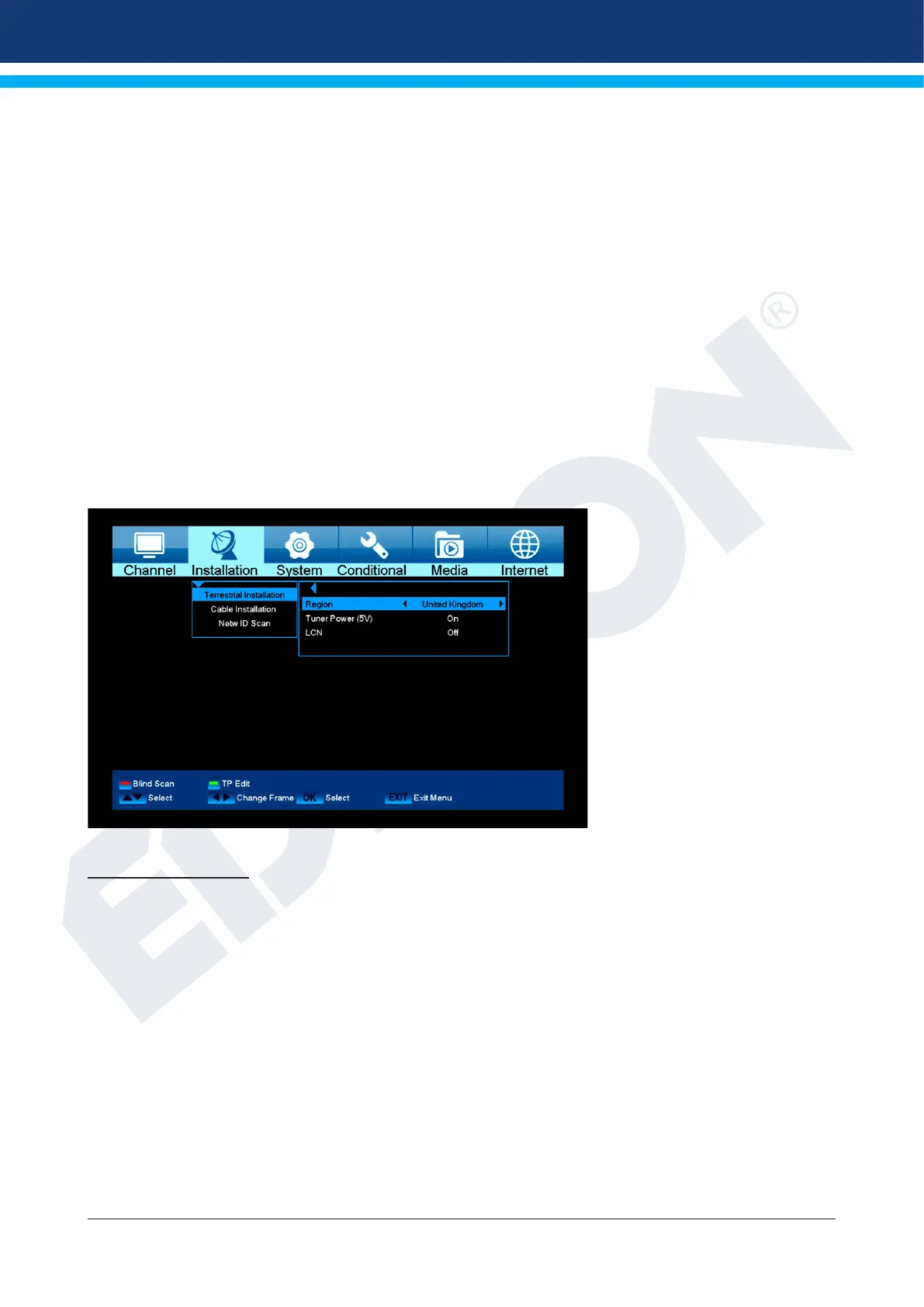
►Menu installation
► Terrestrial Installation
► Cable Installation
► Network ID Scan
Terrestrial Installation
Press [OK] key to enter the selected item.
1 You can select the Bandwidth by region (country).
2 You can set the Tuner Power ON/OFF.
3 Press [Red] key can directly into blind scan mode to scan the current programs.
4 Press [Green] key to enter the following menu.
Scan Mode.
1 There are two modes. You can scan channel by channel or by frequency”.
2 When scan band is UHF and region is “France”, the range of Ch No. is from 21 to 69.
3
When scan Band is VHF and region is “France”, the range of Ch No. is from 1 to 9. (it’s according to region)
4 Press [Red] key to enter blind scan menu, or press [Green] key to enter TP scan menu.
5 Press [Exit] key to exit the scanning.















 To Next Page