18 Version of 14 June 2016
►Menu system settings
► Languages
► A/V Control
► Time setting
► Timer
► Parental Control
► Factory setting
► Information
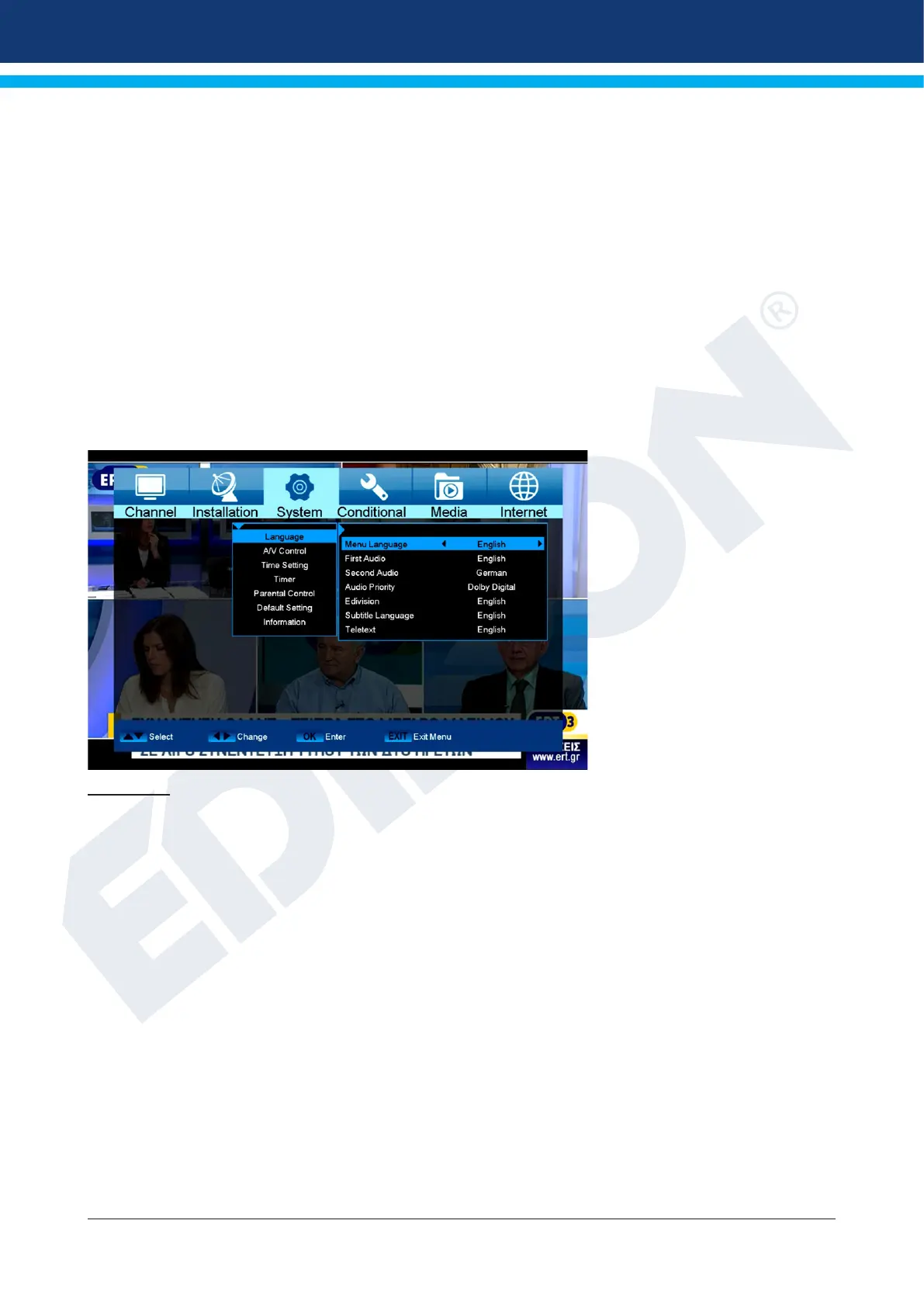
Languages
Functions and settings in the menu:
Menu language: Select the language in which the Menu is displayed.
First audio: Set the audio language here for the rst channel.
Second audio: Set the audio language here for the second channel.
Audio priority: Specify here which preferred audio mode (if available) should be used.
EDIVISION: Specify the language here in which the electronic program guide EDIVISION (EDV)
should be displayed. (The program provider must support the language).
Subtitle language: Specify the language here in which the subtitle information will be displayed.
(Language must be supported by the service provider).
Teletext: Specify the language here in which the teletext/video text information
will be displayed. (Language must be supported by the service provider).
Exit the ‘Language’ menu by pressing the EXIT button.
Minors’ protection
This menu is only accessible by entering a PIN code. The default setting of the PIN code is: 0000.
Functions and settings in the menu:
Menu lock: Set here whether to allow or deny access to the menu. If the ‘On’ value is selected















 To Next Page