E. Making a print with CreatorK 8
E2 How to use CreatorK 8 (Continued)
⑥ Print Temperature
: This determines the extruder’s temperature at which the filament is melted.
④ Feedrate (mm/s)
: This shows how fast the extruder moves per second when it prints. You can
choose between 20 and 1000. The lower the speed, the less the vibration and the
output has smoother surface. The speed of 80~100 is recommended.
⑤ Travel Feedrate
: This shows how fast the extruder moves per second when it does not print. The
same number of feed rate is recommended.
: This determines the extruder’s temperature at which the filament is melted.
The temperature is variable depending on the materials. 205-215℃ for PLA, 235-
250 ℃ for ABS.
⑦ Heat Bed Temperature
: 70-80℃ for PLA, 145-150 ℃ for ABS.
When you use different diameter of filaments, you should input corresponding
diameters.
It indicates nozzle’s diameter. ∃DISON PRO applies 3 different nozzle diameters :
0.2mm, 0.4mm and 0.6mm. You should select corresponding diameters when using
different nozzles.
Click ‘Set Default Value’ if you want to change values which were changed in
Advanced Settings to initial set value.
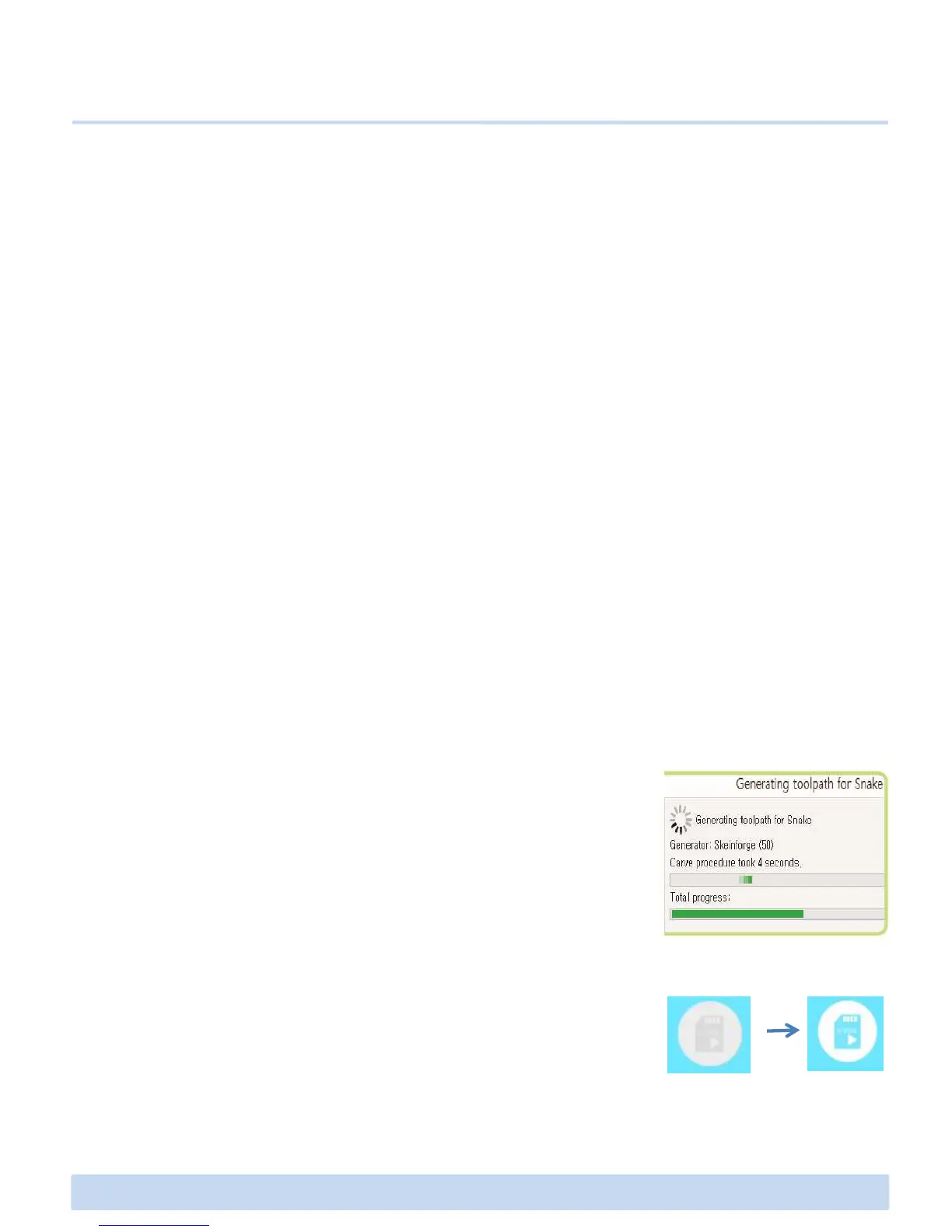
4. After setting all the options, click generate G-code button
which is at the bottom of the pop-up. And then you can see
G-code build process screen. This process is a slicing process
∃DISON PRO User Manual V.1 21
G-code build process screen. This process is a slicing process
enabling ∃DISON to 3D print the STL 3D image.
5. Once finished this work, SD card icon color will change, indica
ting G-code has been generated successfully. And then click the
SD-Card button to save the file in the SD Card.(.x3g)



 To Next Page