Operations Manual 25
CM2ND Operation
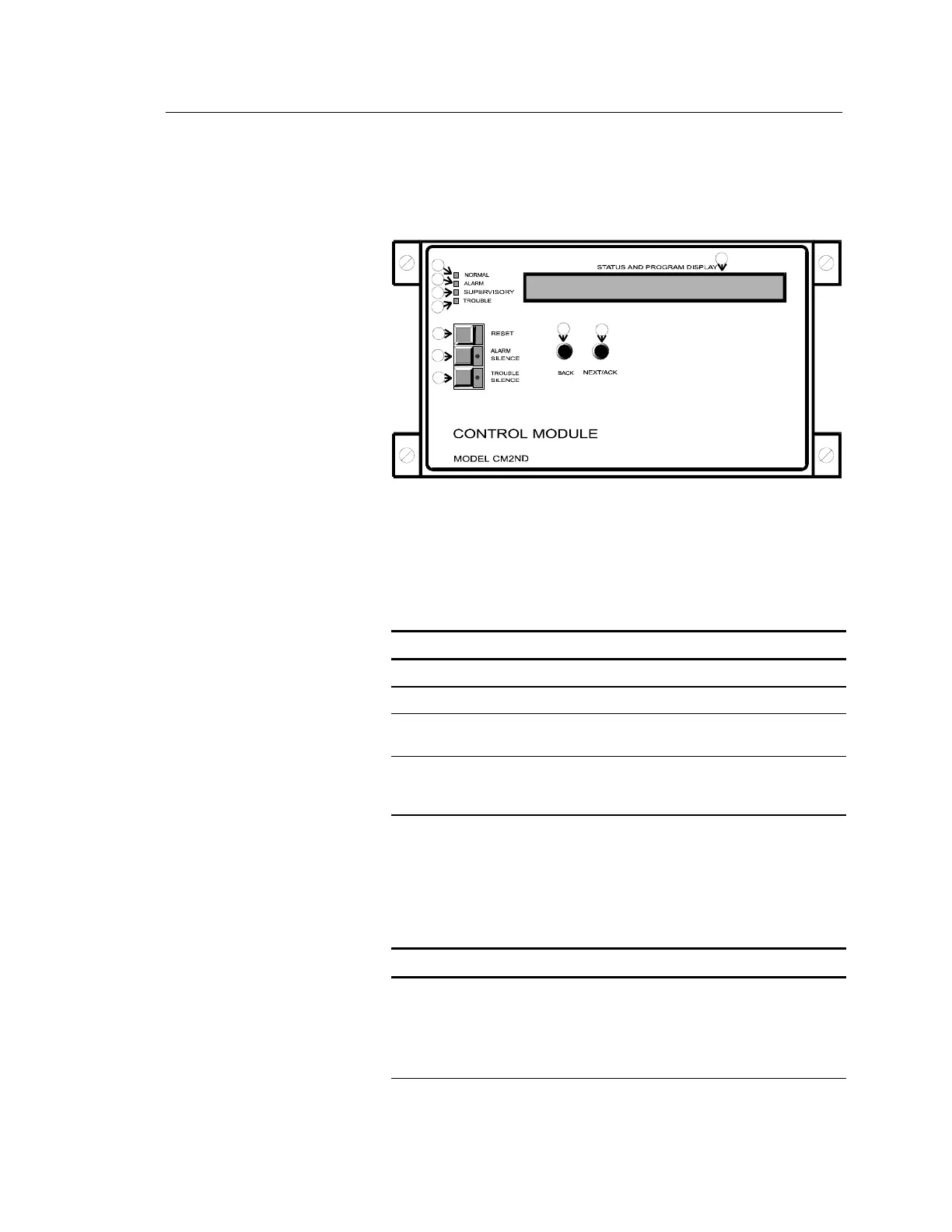
Controls and Indicators
NEXT/ACK-Acknowledges
currently displayed
off-normal condition,
then displays next
off-normal condition.
BACK- Reviews previously
acknowledged off-normal
condition.
LAMP TEST- Press ALARM
SILENCE and TROUBLE
SILENCE switches at
the same time.
OPERATING INSTRUCTIONS
[OP-007.CDR]
1
2
3
4
5
6
7
8
9
10
LED Indicators (call-outs 1 - 4)
The CM2ND secondary controller provides four LEDs to indicate
Normal, Alarm, Supervisory, and Trouble conditions.
CM2ND LED Indicators
LED Indicator Color Description
Normal Green Normal system/panel operation.
Alarm Red Network alarm condition. Buzzer pulsates.
Supervisory Yellow Short on a CM2ND supervisory zone.
Remains ON until short is cleared.
Trouble Yellow Open on a CM2ND supervisory zone.
Remains ON until cleared and/or system
is reset.
Combination Switch / LEDs (call-outs 5 - 7)
The CM2ND secondary controller provides three switch/LEDs that
perform the following functions:
CM2ND Switch / LEDs
Switch/LED Description
Reset Standalone Mode: The Reset switch resets the
CM2ND only.
Network Mode: The Reset switch may be programmed
to reset portions of the network or the entire network.
Refer to specific site instructions.



 To Next Page