Parameterization
Page 48 of 72 MSM-USM2G-BA-UK-004
5.3.3 Menu Master-device / Slave-device1..3
In the menu “Master-device” or “Slave-device1..3”, respectively, the fault annunciation functionalities
of the device can be parameterized. This menu contains the following sub-menus:
Reporting channel
Reporting sequence (only available for Master-device)
Buttons & function inputs
Relays
Repeat relays (if optionally installed)
LED-colour selection
Analog channels (if optionally installed)
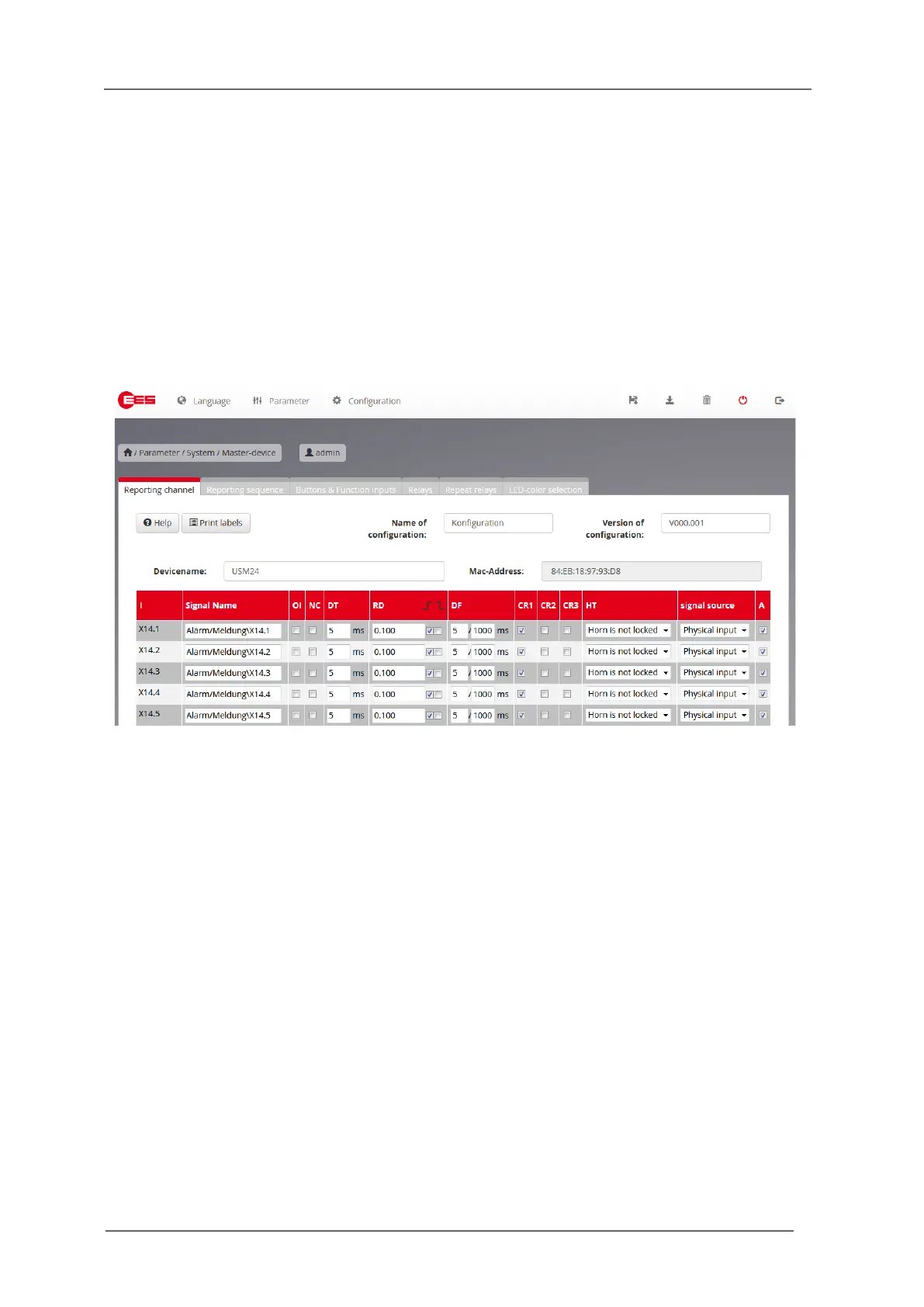
5.3.3.1 Submenu reporting channel
Fig. 5.13: Submenu Reporting channel
Version of configuration
In these fields declarations for name and version of the respective device parameterization can be
entered. This information is stored in the parameterization file and on the device and will be read and
displayed when loading a parameterization file or when a device is connected.
Device name
A device name consisting of 40 ASCII characters may be assigned here. This name is used for the
identification of the device, is transferred to the device during parameterization and stored there. It is
displayed on the parameterization interface, but is not transferred to the CID file as a designation
when using the IEC 61850 interface.
Labelling strips
With a click on the button “Print labels”, a new window with the labelling strips will be opened. The
signal texts resemble the labelling of the channels, the button texts follow the declaration on the page
“buttons & function inputs”. If a text is too long, it will be displayed in red characters and should be
changed – otherwise only the visible part of the text will be printed. By click on a text within the
labelling foil a new dialog for editing of the text will be opened. Please choose DIN A4 landscape
format as paper settings for your printer. Please also make sure that the page is printed out in its
original size, i.e. do not adjust or reduce or enlarge it.


 To Next Page