17 18
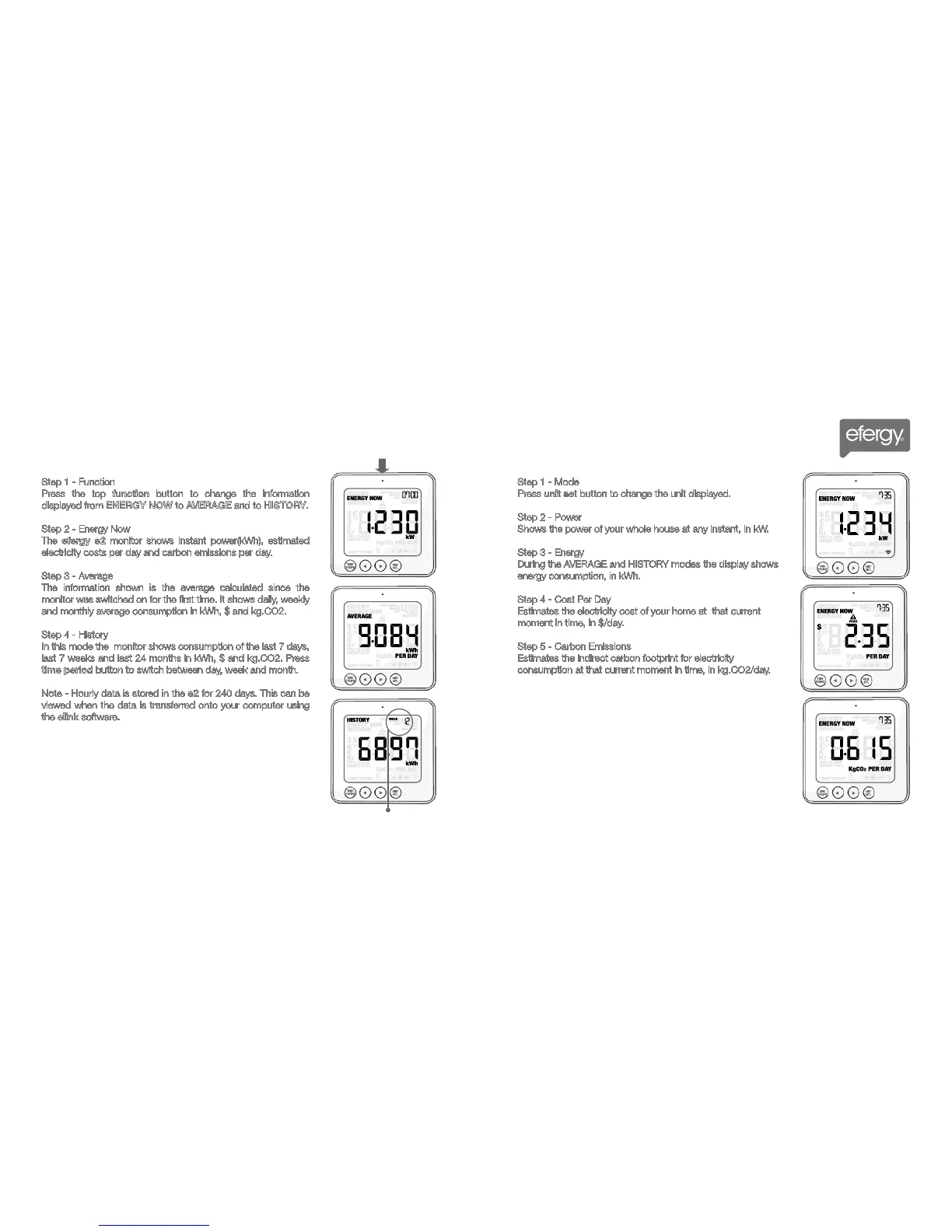
Step 1 - Function
Press the top function button to change the information
displayed from ENERGY NOW to AVERAGE and to HISTORY.
Step 2 - Energy Now
The efergy e2 monitor shows instant power(kWh), estimated
electricity costs per day and carbon emissions per day.
Step 3 - Average
The information shown is the average calculated since the
monitor was switched on for the first time. It shows daily, weekly
and monthly average consumption in kWh, $ and kg.CO2.
Step 4 - History
In this mode the monitor shows consumption of the last 7 days,
last 7 weeks and last 24 months in kWh, $ and kg.CO2. Press
time period button to switch between day, week and month.
Note - Hourly data is stored in the e2 for 240 days. This can be
viewed when the data is transferred onto your computer using
the elink software.
Step 1 - Mode
Press unit set button to change the unit displayed.
Step 2 - Power
Shows the power of your whole house at any instant, in kW.
Step 3 - Energy
During the AVERAGE and HISTORY modes the display shows
energy consumption, in kWh.
Step 4 - Cost Per Day
Estimates the electricity cost of your home at that current
moment in time, in $/day.
Step 5 - Carbon Emissions
Estimates the indirect carbon footprint for electricity
consumption at that current moment in time, in kg.CO2/day.
HOW TO CHANGE FUNCTIONS
HOW TO CHANGE MODES
MONITOR SETUP MONITOR SETUP
Week
Shop for Power Metering products online at:
1.877.766.5412
www.PowerMeterStore.ca



 To Next Page