Electronic device DMU2000 - DMU3000 - DMU3000 PLUS
Electronic device DMU2000 - DMU3000 - DMU3000 PLUS
21
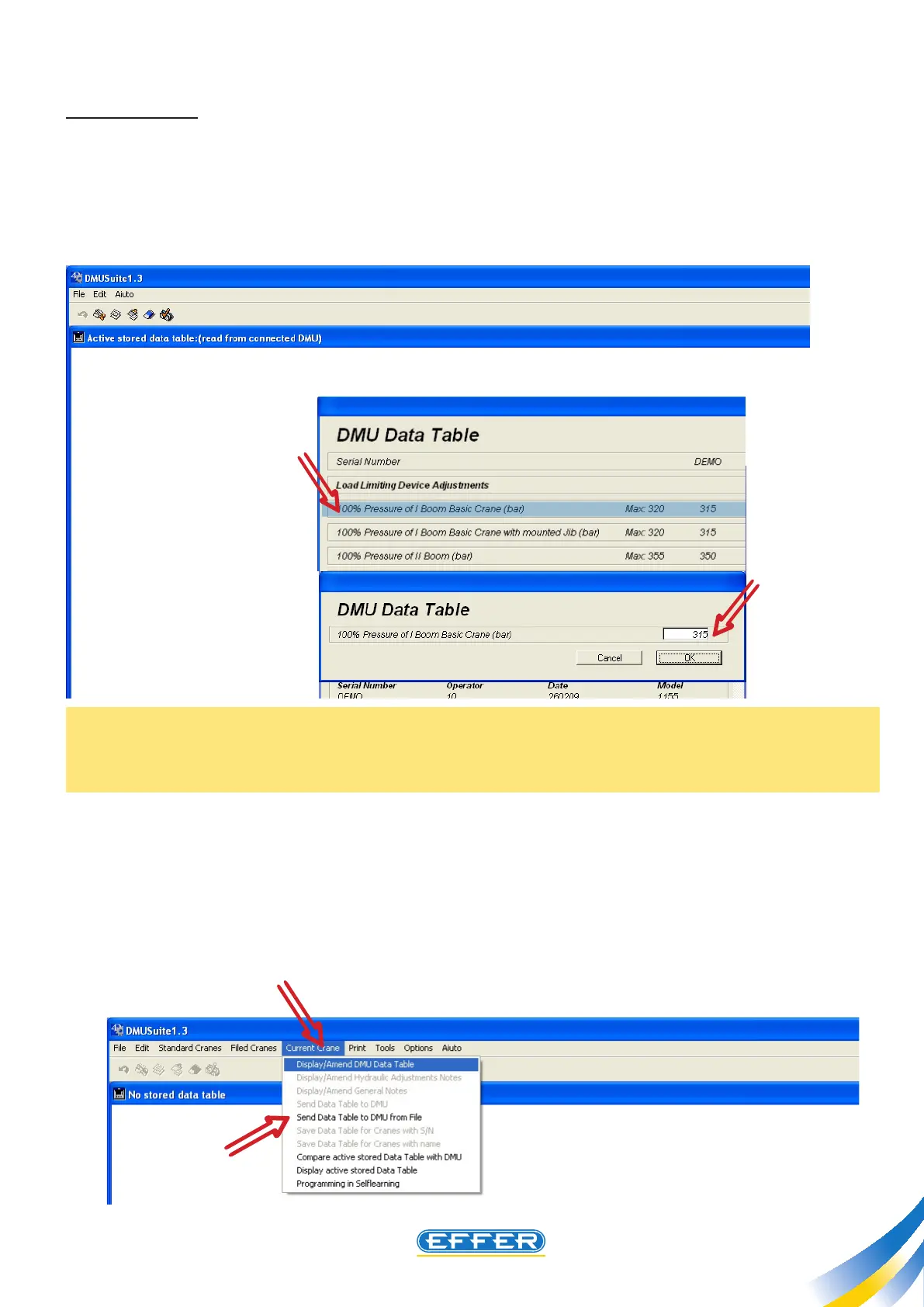
b) CHANGING
The data that can be changed are those in the right column, called B in the previous paragraph.
u Click twice on the line that you want to change: only the selected line is still highlighted.
u Type the desired value in the box..
N.B.: The value does not exceed the maximum value allowed as stated on the previous screen, other-
wise the system does not accept it, i.e. even if a higher value is typed, the maximum allowed value is
recorded inside the DMU.
u CLICK OK
u Exit the screen by CLICKING OK
The changed data shall be conveyed to DMU.
u Click on the icon “Current Crane”
u Click on the icon “Send Data Sheet to DMU”



 To Next Page