Electronic device DMU2000 - DMU3000 - DMU3000 PLUS
64
Electronic device DMU2000 - DMU3000 - DMU3000 PLUS
CRANE BLOCKED BY AN OPERATIONAL ERROR
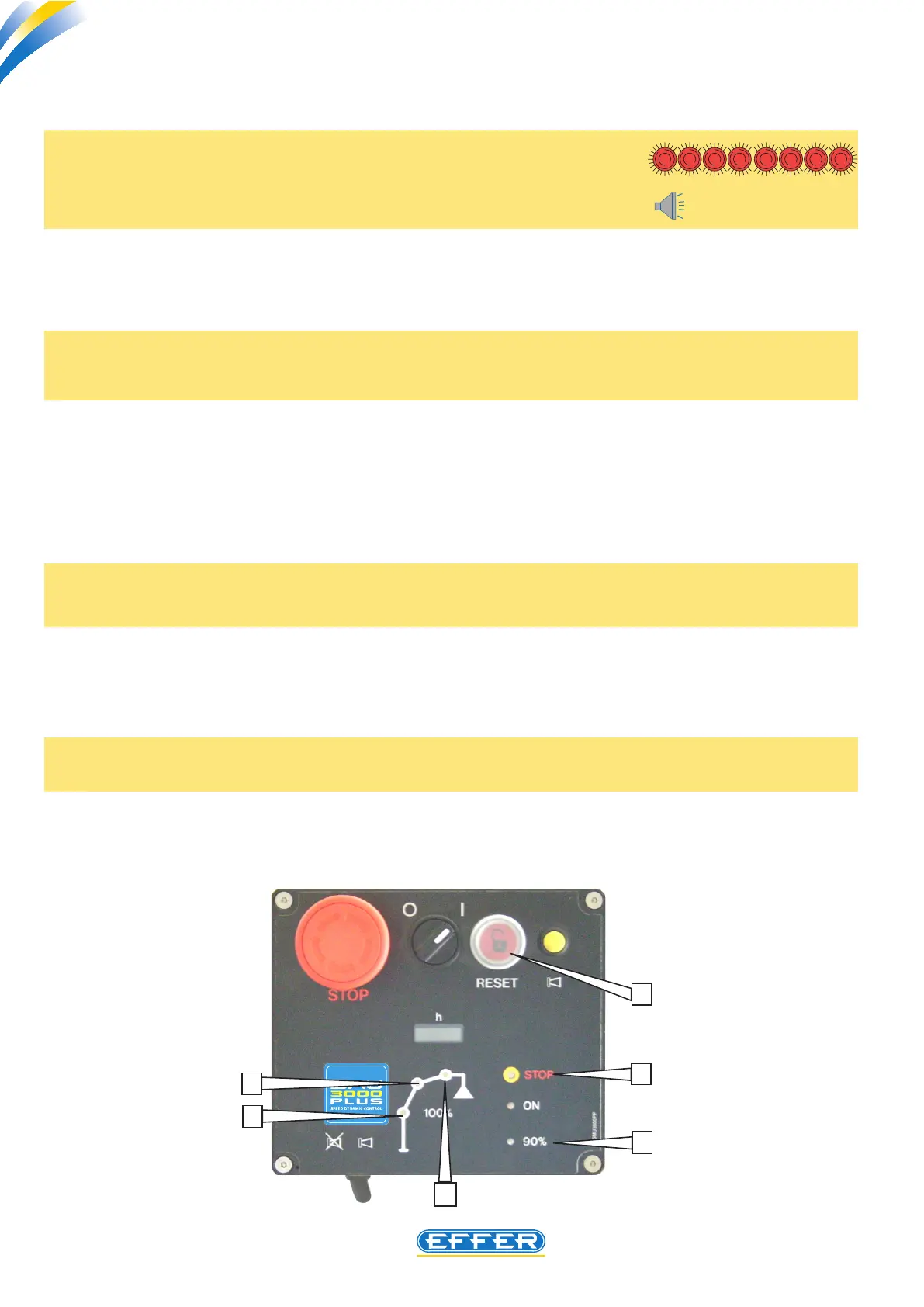
a) The warning lights 1, 2, 3, 4, and 7
are lighted up permanently and
a continuous acoustic alarm is emitted Biiiiiiiip
The manoeuvre for starting after switching o was too quick.
SOLUTION 1) turn o the DMU and restart it electrically after at least three seconds.
B) The warning lights 1, 2, 3 are flashing in succession and no acoustic alarm is
emitted
The CAUSE is the inclusion of the PIN code (see user manual)
SOLUTION 1) enter the PIN code to have the crane operating
SOLUTION 2) if you do not know the PIN code, you can cancel it with the computer (see chapter
13 of this manual)
c) When the DMU is turned on only, the warning light 5 is lighted, and the crane is
not operational
An emergency stop button is pressed.
SOLUTION identify the pressed emergency stop button and release it.
d) The warning light 4 is blinking, no acoustic alarm is emitted
The DMU is waiting for the start signal.
SOLUTION press the DMU start button, either on its panel, or its remote control – if tted –
5
7
1
3
2
4



 To Next Page