Electronic device DMU2000 - DMU3000 - DMU3000 PLUS
8
Electronic device DMU2000 - DMU3000 - DMU3000 PLUS
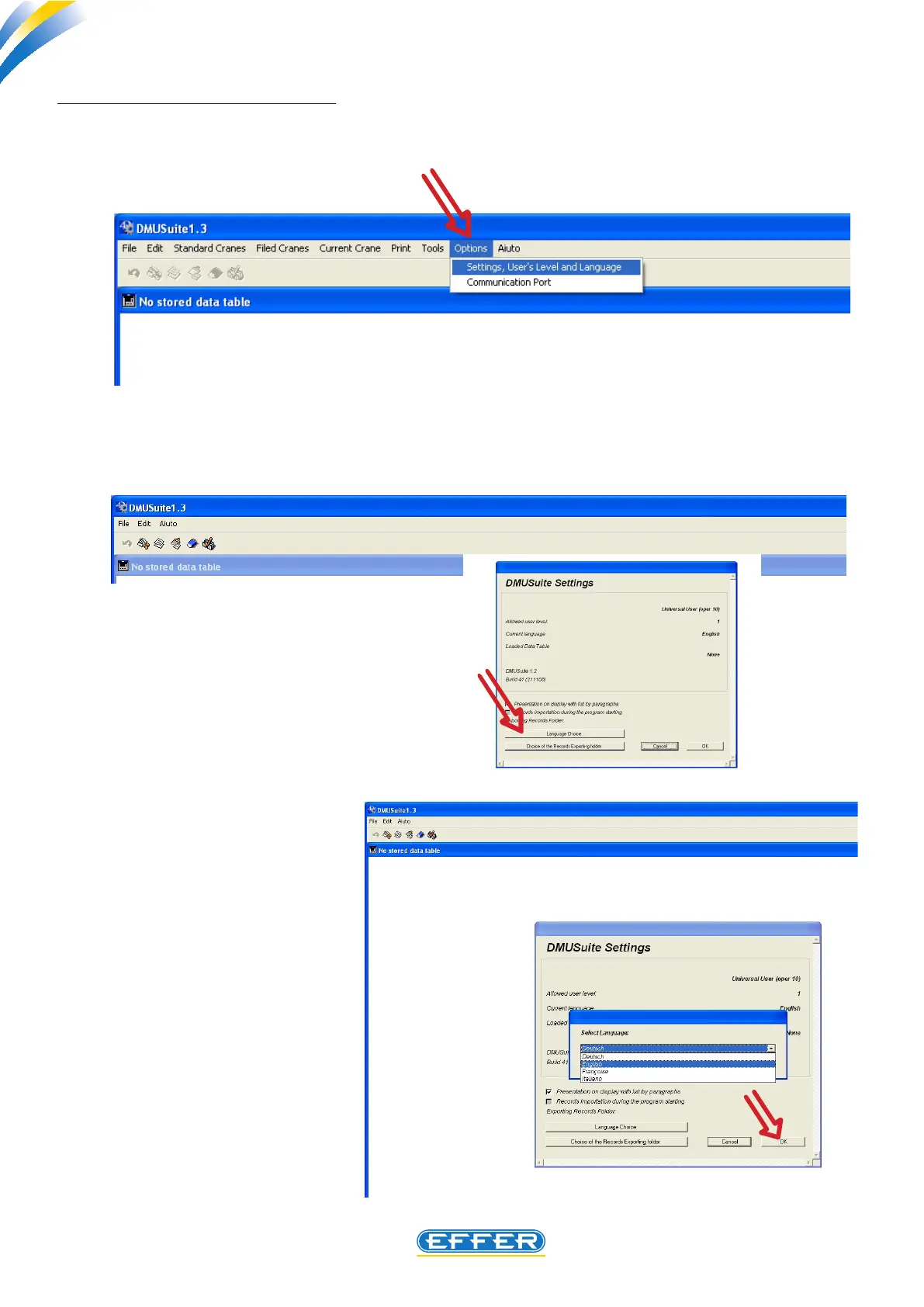
b) Changing the dialogue language
If you want to change the dialogue language, with the software already running:
u Click on the icon “Options”
u Click on the icon “User Level Settings and Language”
- The window “DMU settings” appears
u Click on the icon “Language Selection”
A list of the dierent languages present in the
software appears; select the language
u CLICK OK
u CLICK OK again



 To Next Page