Observe the following precautions when using Fiery Quick Touch:
•
Avoid pressing the surface of the liquid crystal display (LCD).
Applying pressure to the LCD causes it to change color.
•
Use a soft cloth moistened with lens cleaner to clean the surface of the LCD.
Other solvents, such as water, may damage the LCD.
•
Handle the LCD with care.
If the LCD breaks and the liquid crystal inside leaks out, avoid contact. If you do come in contact with the liquid
crystal, immediately wash it off your skin with soap and water
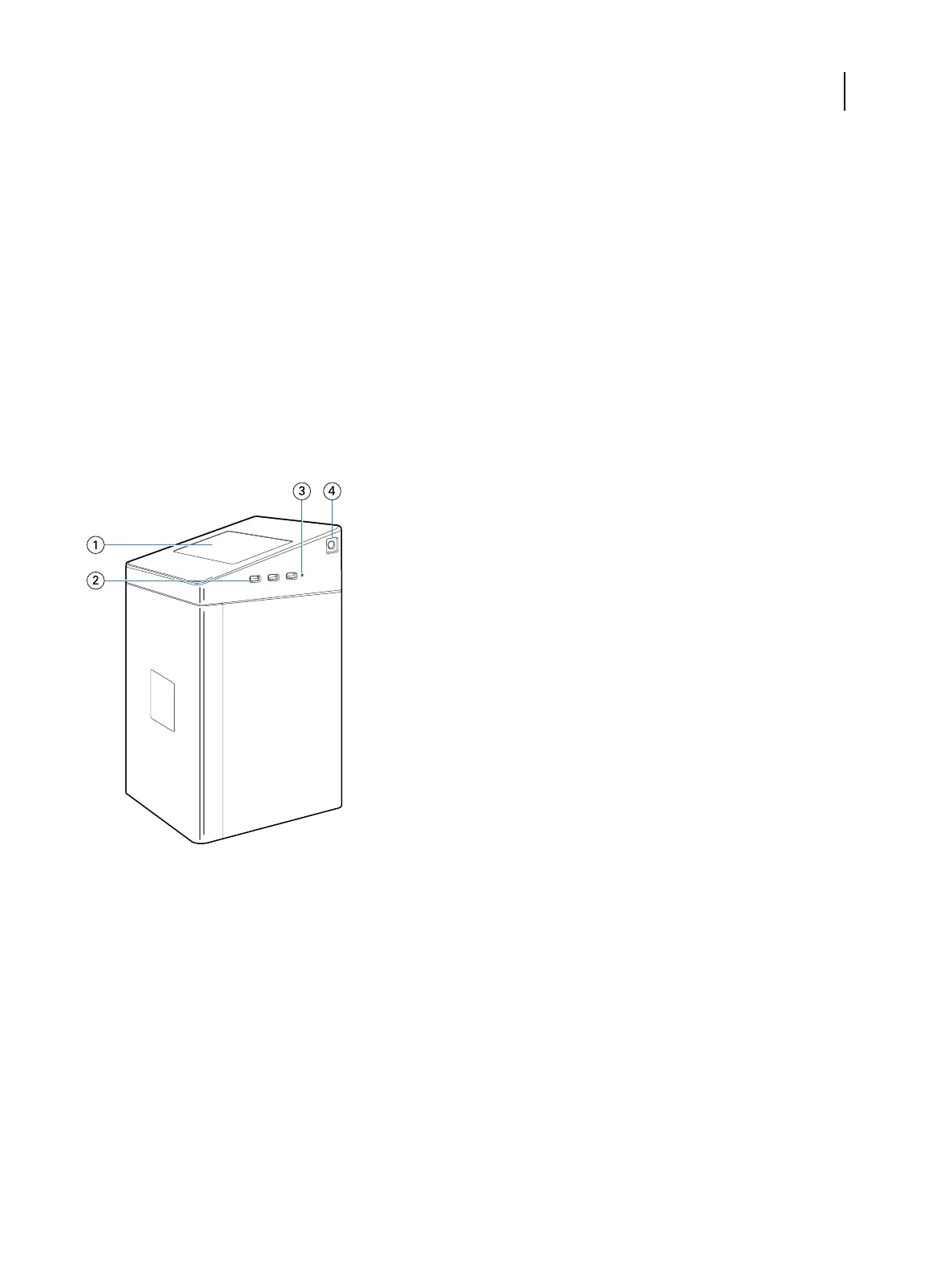
Fiery proServer SE front panel
The graphic displays the front and side panel of the Fiery proServer SE.
1 Fiery Quick Touch
2 Type A USB 3.0 ports (x3)
3 Reset button
4 Power button
For more information on using Fiery QuickTouch, see the Setup Guide.
Fiery proServer Premium front panel
The graphic displays the front and side panel of the Fiery proServer Premium.
Installation Guide
Fiery proServer, version 7.1
6



 To Next Page