EasyManua.ls Logo

EFOY Pro 2400 - User Manual

Default Icon
85 pages
Print Icon
To Next Page IconTo Next Page
Loading...
Operation and
Installation Manuel
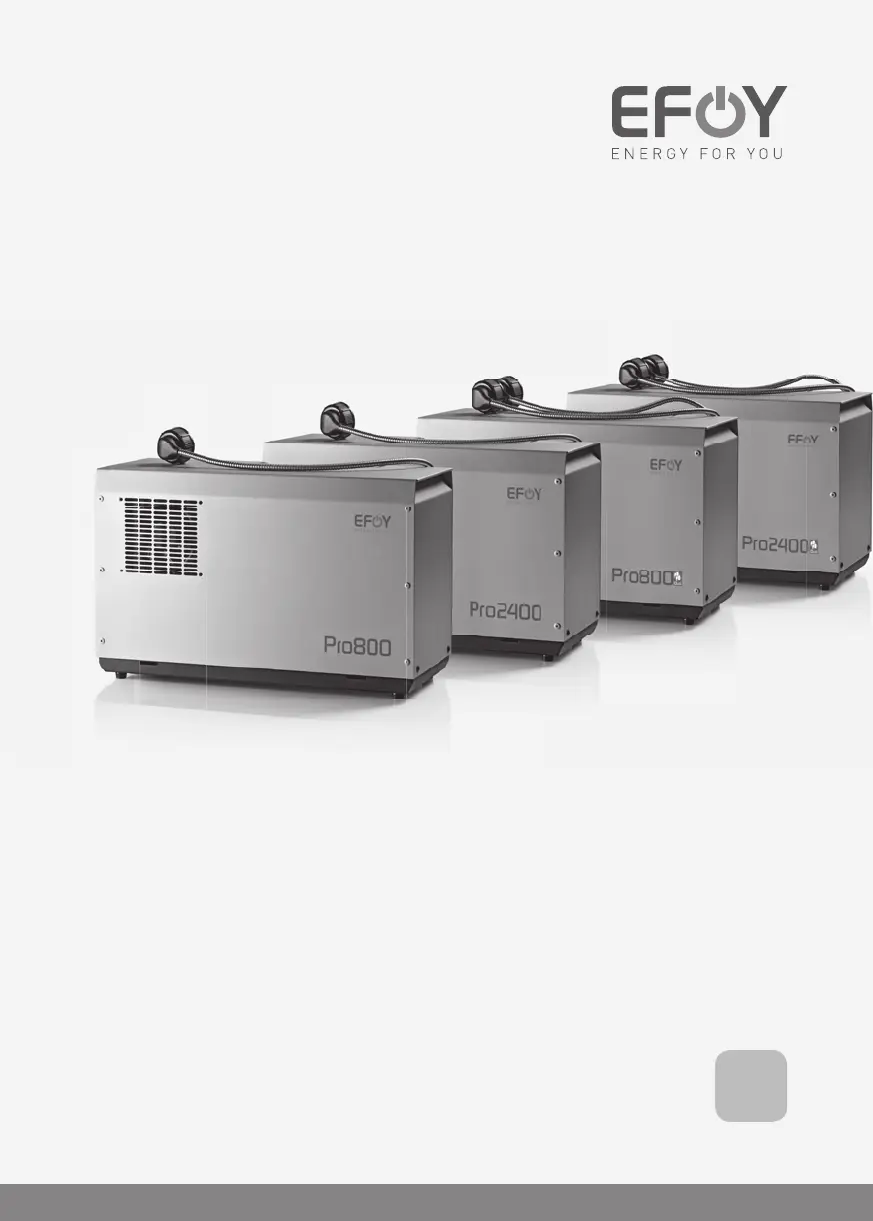
EFOY Pro 800
EFOY Pro 2400
EFOY Pro 800 Duo
EFOY Pro 2400 Duo
EN

Table of Contents

Other manuals for EFOY Pro 2400

Questions and Answers

  • L
    Lauren WardAug 16, 2025
    What to do if EFOY Network Router shows 'Battery voltage low'?
    • M
      Maureen RomeroAug 16, 2025
      If your EFOY Network Router displays a 'Battery voltage low' message, first, inspect the cabling to ensure it's properly connected. Then, verify that a suitable battery is connected. Check the battery voltage, and if it's too low, charge the battery using a battery charger. Also, inspect other charging devices like alternators or charge controllers for any potential defects.
  • C
    Cynthia PhillipsAug 19, 2025
    What to do if EFOY Network Router says 'Cooling insufficient'?
    • B
      Brenda MunozAug 20, 2025
      If your EFOY Network Router displays an 'Interruption: Cooling insufficient' message, it means that the cooling air is not sufficient or the ambient air is too warm. Check if the room where the fuel cell is installed has enough ventilation. Also, check if the air supply openings in the EFOY Pro fuel cell are blocked.
  • M
    Michael JonesAug 22, 2025
    What to do if EFOY Network Router indicates 'Battery voltage high'?
    • G
      George GordonAug 22, 2025
      If your EFOY Network Router displays a 'Battery voltage high' message, check the cabling to ensure it's properly connected and that a suitable battery is connected. Inspect any additional charging devices, such as alternators or charge controllers, for defects.
  • J
    John BrownAug 26, 2025
    What to do if EFOY Network Router shows 'Short-circuit has occurred'?
    • V
      vanessa85Aug 26, 2025
      If your EFOY Network Router indicates a short-circuit, first ensure that the polarity of the charge line is correct. Then, switch off the device and identify the cause of the short circuit or overload. Eliminate the error before restarting the device.
  • B
    bruce63Aug 28, 2025
    What to do if EFOY Network Router says 'No battery is connected'?
    • K
      Kristen CalderonAug 28, 2025
      If your EFOY Network Router indicates that no battery is connected, or that the battery hasn't been properly connected, or that a deep discharge has occurred, check the pins, polarity, and cables. Connect a charged battery to start the device.
  • J
    Jennifer MartinezAug 31, 2025
    What to do if EFOY Network Router needs a restart?
    • B
      Brett LaraAug 31, 2025
      If your EFOY Network Router requires a restart, select the "System reset" option in the main menu to restart the device (you can do this a maximum of two times).
  • J
    Jessica MillerSep 3, 2025
    What to do if EFOY Network Router exhaust hose is blocked?
    • M
      mario63Sep 3, 2025
      If your EFOY Network Router indicates that the exhaust hose is blocked, bent, or frozen, check the installation of the exhaust hose and position it so that condensation cannot gather. Ensure you do not bend the exhaust hose. If necessary, clean the exhaust hose and protect the opening from becoming clogged. Consider shortening the exhaust hose if condensation is gathering in it.
  • A
    abrooksSep 6, 2025
    What to do if EFOY Network Router shows 'Surroundings too warm'?
    • G
      Gabriel NolanSep 6, 2025
      If your EFOY Network Router indicates that the surroundings are too warm, the device will start automatically once the temperature drops to below 50°C/122°F.
  • R
    Roberto LittleSep 9, 2025
    What to do if EFOY Network Router cartridge connection is faulty?
    • C
      Chase OlsenSep 9, 2025
      Check the fuel cartridge connection and, if necessary, check for any contamination and remove it. Then perform a system reset (max. twice).
  • J
    jonathan76Sep 12, 2025
    Why EFOY Network Router is frozen?
    • C
      Caitlin VelazquezSep 12, 2025
      The EFOY Network Router freezes if it was exposed to temperatures below 1°C/34°F without a connected battery and/or an EFOY fuel cartridge that was not filled sufficiently. Allow the device to defrost for approximately 24 hours at room temperature.

Summary

2 Safety Information

2.1 Safety Alert Signal Words

Defines DANGER, WARNING, CAUTION, and INFO signals to highlight hazards and important information.

2.2 General Safety Instructions

Covers essential safety rules for operating and handling the EFOY Pro fuel cell and its components, including storage and ventilation.

2.3 Safety Instructions for Methanol

Details hazards associated with methanol and provides safety precautions for handling fuel cartridges, including flammability and toxicity.

2.4 Correct Use

Specifies approved applications and limitations for EFOY Pro devices, including battery compatibility and intended use.

4 Installation

4.1 Installation Space Requirements

Defines necessary space, ventilation, and environmental considerations for safe and effective installation of the fuel cell.

4.2 Mounting the Fuel Cell

Step-by-step guide for securely mounting the EFOY Pro fuel cell unit using the provided mounting plate and bar.

4.4 Connecting the Exhaust Hose

Details the procedure for connecting the exhaust hose to safely vent exhaust gases, including diameter and routing.

4.6 Electrical Connections

Covers essential safety precautions and guidelines for making electrical connections to the battery and other system components.

5 Operation

5.2 Operation via the Operating Panel

Details how to use the external operating panel, covering button functions, display symbols, and menu navigation.

5.5 Operating Modes

Describes the different operational modes: Automatic, Manual On, Manual Off, and External Control for flexible power management.

6 Maintenance

7 Troubleshooting

7.1 Safety Precautions

Reiterates safety warnings against opening the device and provides contact information for unresolved operational issues.

7.2 Errors and Solutions

Lists common error messages, their codes, and recommended solutions for resolving operational issues with the EFOY Pro.

EFOY Pro 2400 Specifications

General IconGeneral
BrandEFOY
ModelPro 2400
CategoryNetwork Router
LanguageEnglish

Related product manuals