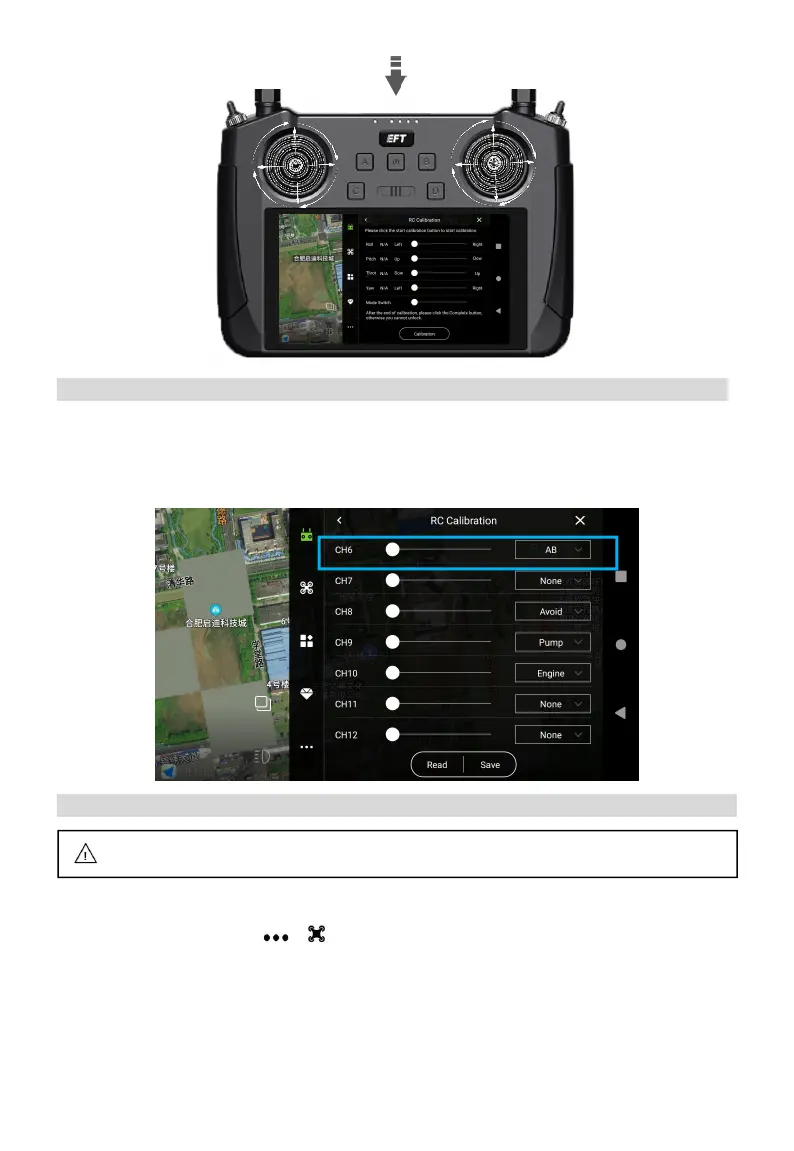
Gate Set
Channel Settings can be read directly from default settings CH 6 as AB, CH8 as Avoid, CH9 as
Pump, CH10 as Engine. It can also be customized based on local operation habits. Then “Save”
and the RC mode set as “American hand”.
Sensor Calibration
Accelerometer calibration
Enter Agri Assistant > Start > > >Parameters Settings > Sensor, place the aircraft
horizontally, click “Accelerometer Calibration”, and it will take 3~5s to auto complete calibration. If
the ground is uneven, or the body is shaken, please re-calibrate.
All new drones should do Accelerometer calibration and Compass calibration.



 To Next Page