12
9.5 Advanced settings
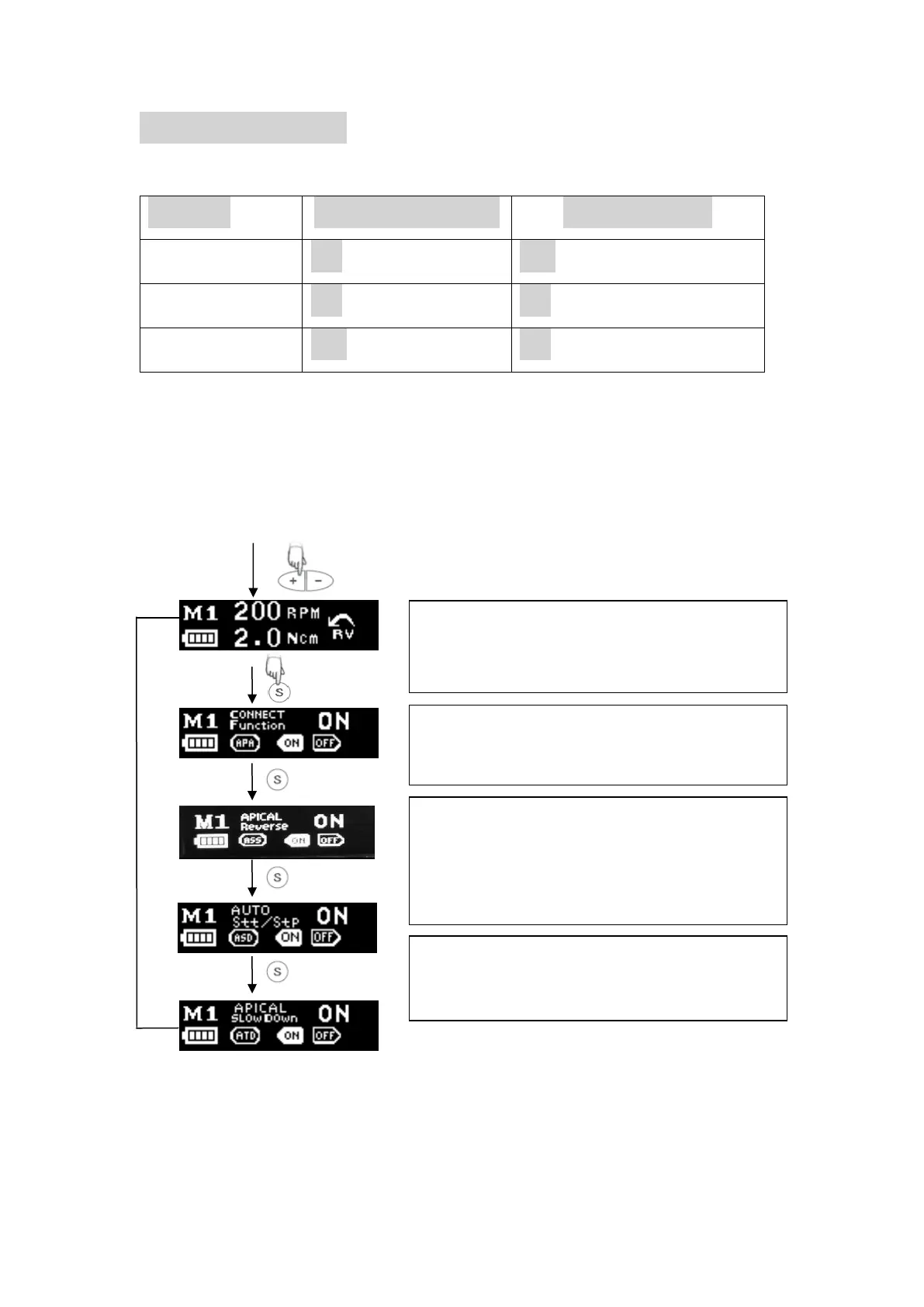
Advanced setting programs installed by the manufacturer are as follows-
1. Press +/- to choose a memory number.
2. Long press the S button for more than
one second into the advanced function
setting interface.
3. Press S switch to next function setting.
4. Press +/- to change parameters.
5. If exceed 5 seconds without any
operation ( factory setting is 5 seconds,
it could be change),display will switch to
standby interface.
E-CONNECT and APEX LOCATOR connect use,
the following online function will be activated.
Close to root canal apex, automatic reverse /
When the file enters the canal orifice, the motor
will start running automatically. When the file
leave the canal orifice, the motor will stop
Automatic deceleration when the file reaches to















 To Next Page