4
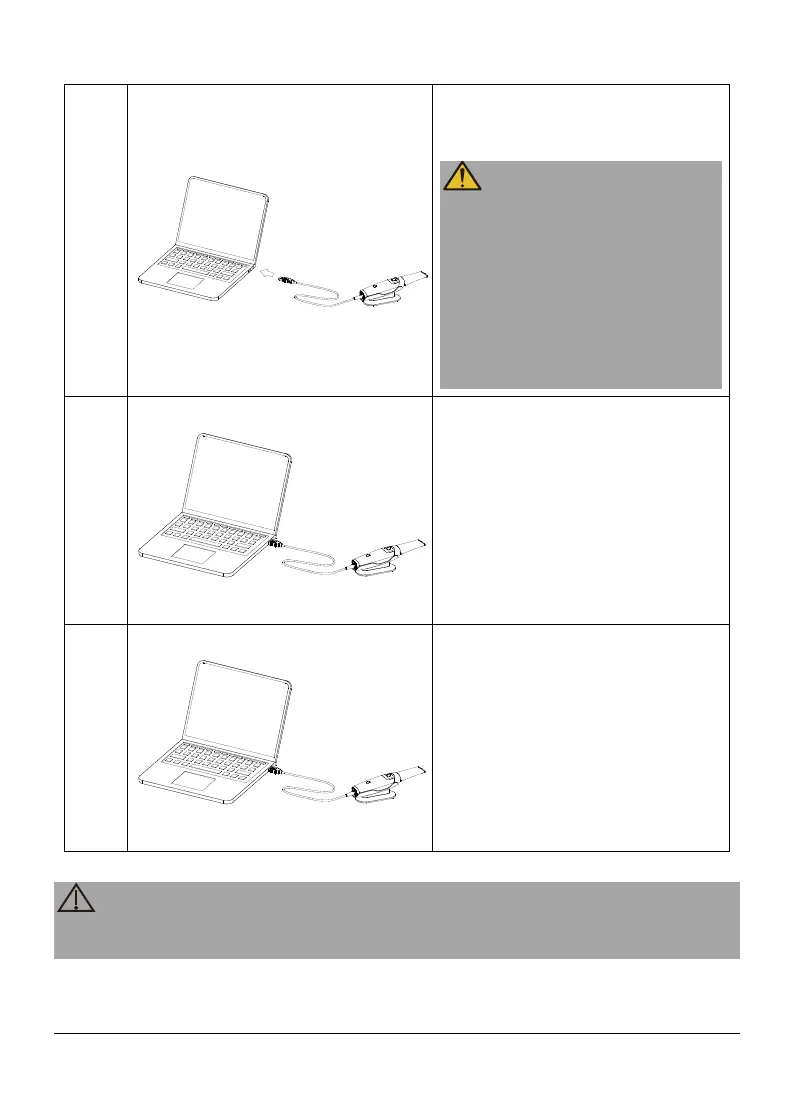
Insert the USB connector of the
scanner to any USB 3.0 port on
the workstation.
connected to the USB 3.0 port.
If connected to a USB 2.0 port,
properly.
Do not position the device
where it is difficult to disconnect
the power.
5
The scanner will automatically
turn on, place the scanner on
the holder of scanner, and the
device will
state.
6
After the scan is complete,
place the scanner on the holder
of scanner, and the device will
enter the sleep state. Pull out
the USB plug to disconnect the
scanner.
All IT components electrically connected to the Helios 500 must confirm to IEC
60950-1/ IEC 62368-1.
Page 10 / 51


 To Next Page