4 Product Installing
4.1 Installation Environment Requirements
Since this product is not equipped with a workstation, during the installation of
this product, customers need to provide an additional laptop or desktop
workstation.
4.2 Connecting the Helios 500 to the workstation
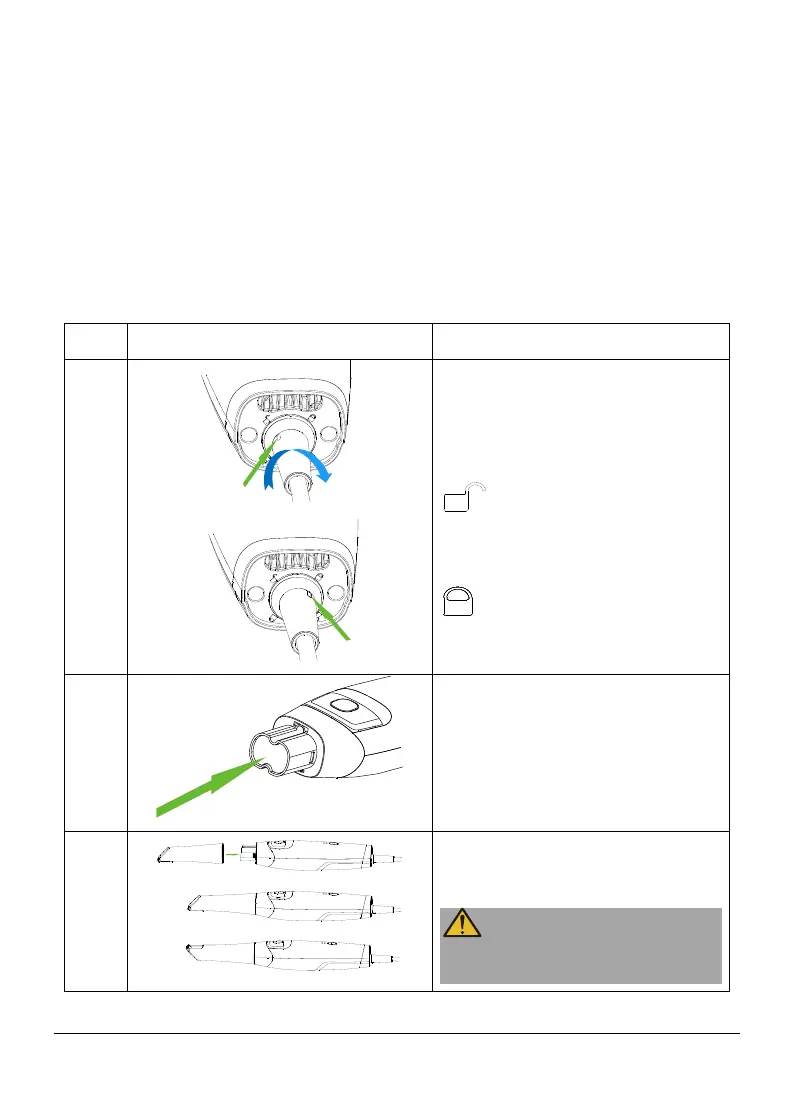
1
If cables are not installed,
perform the following steps:
Align the latch indication with
, insert the type-c and
latch into the scanner, and turn
the latch clockwise so that the
latch indication is aligned with
.
2
Make sure the lens window at
the base of the scanner is clean
by wiping it with a moist, lint-
free cloth or lens tissue.
3
Slide the tip onto the scanner
as shown, the tip can be
mounted in both directions.
Please use the original
reusable tips.
Page 9 / 51


 To Next Page