6.2.8 Completing and Saving the case
Reference to 6.1.7
6.3 Othodontics process
6.3.1 User login
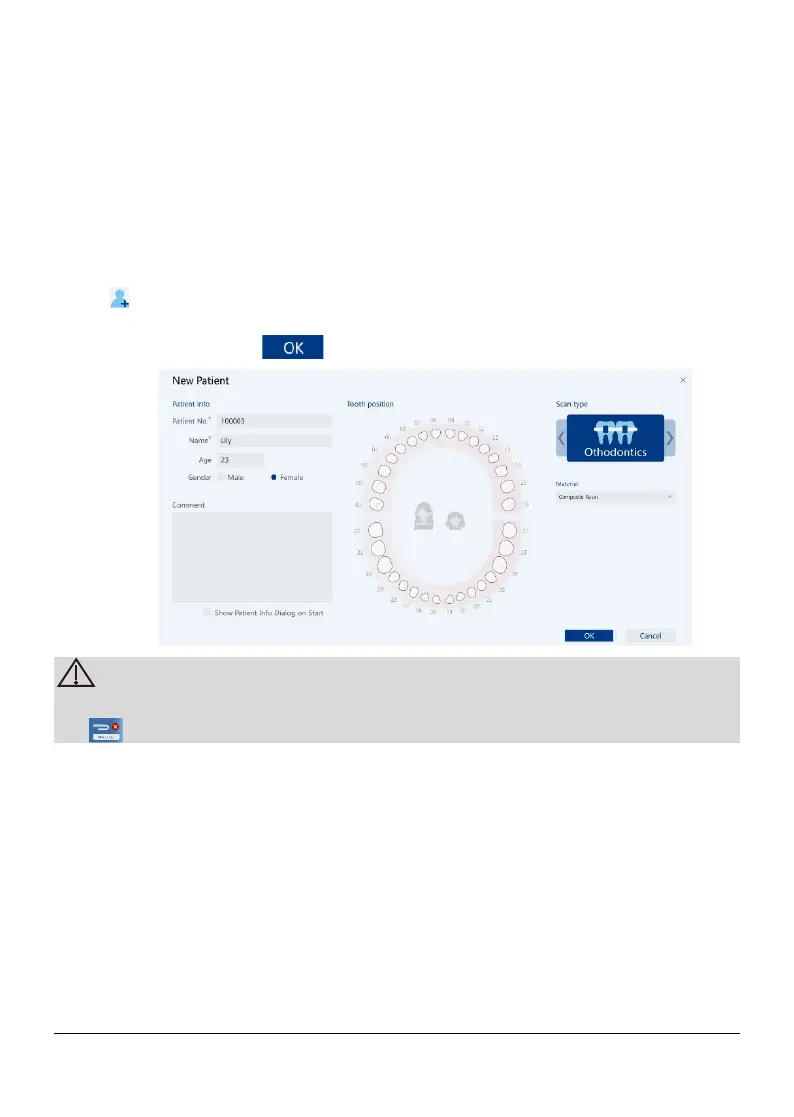
6.3.2 New patient
Click to open the new order process: fill in the information such as Patient
NO., name, age, gender and comment, select tooth position and scan type,
Othodontics, and click to enter the scan process.
Scanner USB inserted into workstation, If the scanner not connect, click
6.3.3 Upper Jaw/ Lower Jaw scan
Reference to 6.1.3
6.3.4 Data editing
Reference to 6.1.4
6.3.5 Scanning the bites
Reference to 6.1.5
6.3.6 Refine the 3D Model
Page 34 / 51


 To Next Page