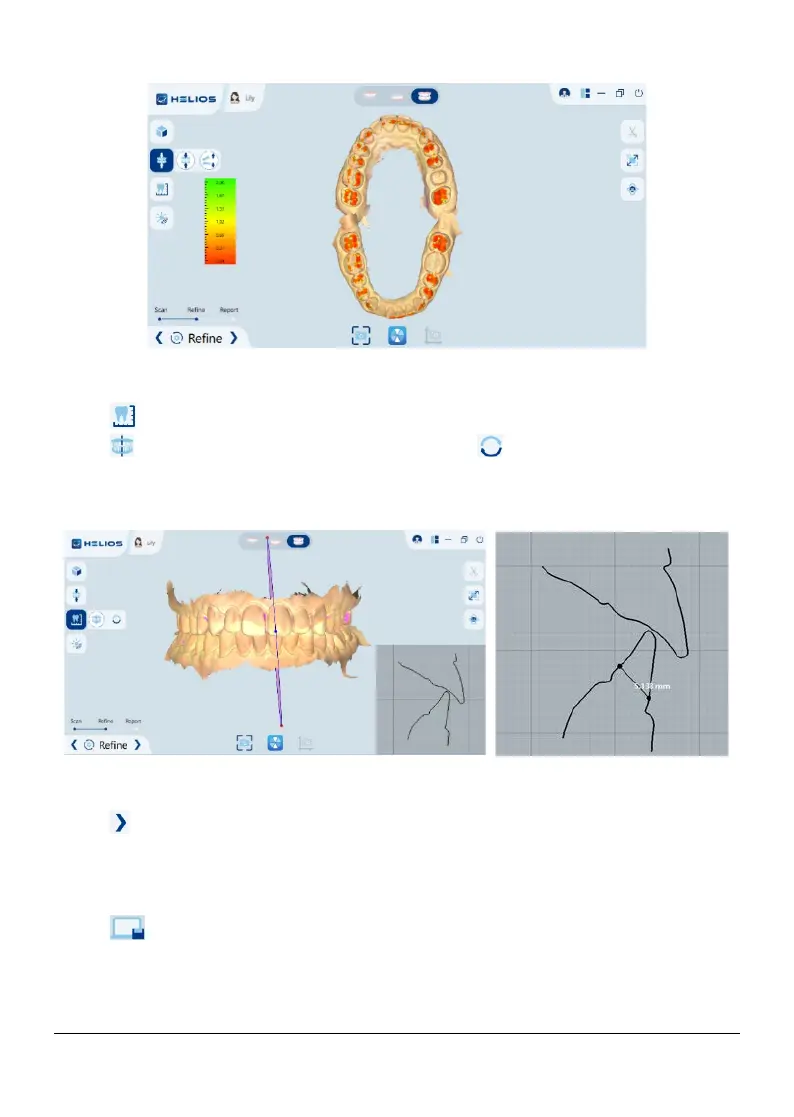
6.1.6.3 Measurement
Click , then create a section, the section outline is displayed on the right.
Click display different clipping mode. Click to reseat a new section;
The left button of mouse selects the two points to be measured and generates
the length dimension.
6.1.7 Completing and Saving the case
Click to enter the report interface
Complete the patient information, if necessary, you can add some more
information to the case.
Click to save the case to the workstation, the storage format is STL and
PLY.
Page 30 / 51


 To Next Page