5. Soft Introduction
Page 30 / 66
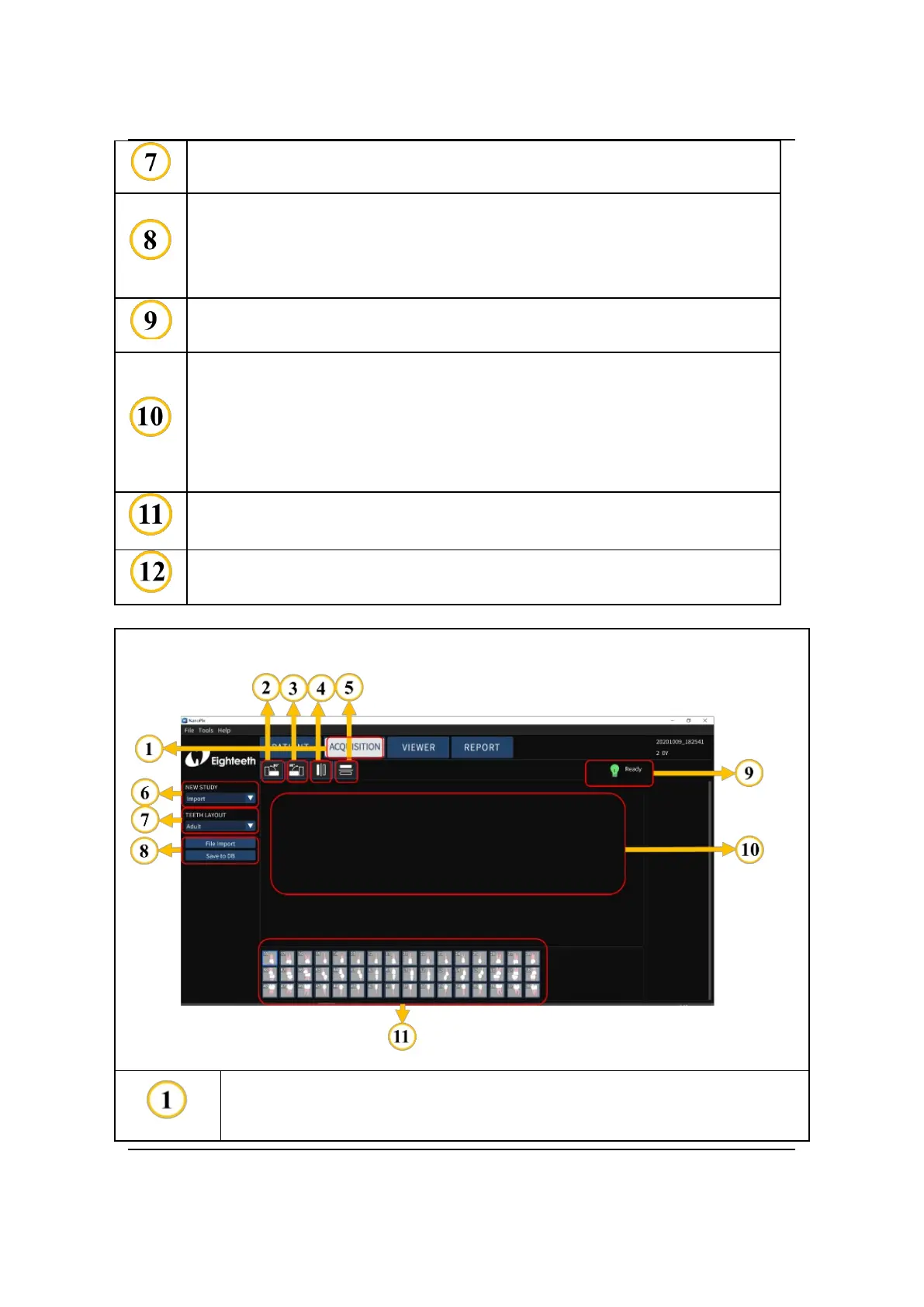
TEETH LAYOUT: use to determine the age group: adult or child.
IMAGE PROCESSING: use to process the acquired image data,
include Endodontic, Periodontic, Restorative, Smart Contrast,
Smart Sharpen, Smooth, Inverse, Colorize, and Reset.
BRIGHTNESS & CONTRAST: Manual, Auto and Reset.
Sensor Indicator:
“Waitting Exposuring”: Indicate that the sensor is connected
successfully and can be exposed.
“Offline”: Sensor is not connected.
The display area of the oral X-ray image.
Examples of different teeth layout.
The main page of Oral X-ray Image Acquisition Menu: Import
ACQUISITION: Click it and enter the oral X-ray Image Acquisition
Menu interface.



 To Next Page