6 Operating Instructions
Page 46 / 66
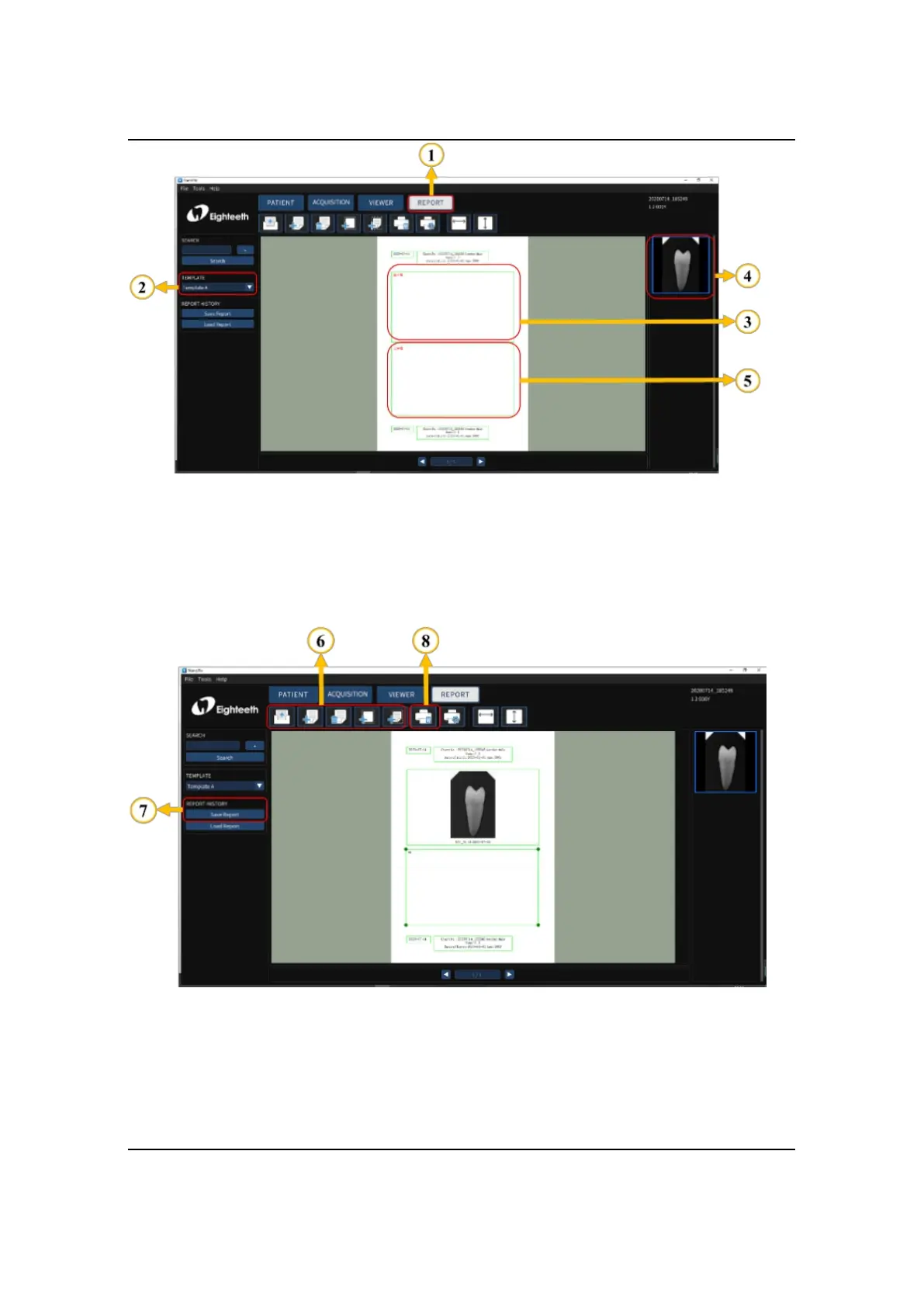
4. According to the actual needs, use the upper toolbar to edit the report, including
creating a new report, adding a page, deleting a page, adding an image box, adding
text box (optional); Finally, save and print the report.



 To Next Page