Sapphire Infusion Pump User Manual231
Using the New Patient Feature
The Sapphire pump allows you to associate infusions to a specific patient.
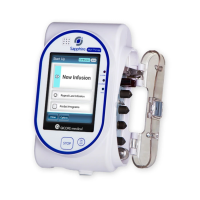
When the New Patient feature is enabled, and either a New Infusion or a PreSet
program is selected, the pump will prompt you to indicate whether the infusion to be
programmed is for a new patient or not. When selecting Repeat Last Infusion the New
Patient screen will not appear, and the pump will indicate that the infusion to be
repeated will be used for the last patient selected.
When a new patient is selected, entries associated with the patient can be tracked in
the Event Log (Viewing the Event Log on page 215). In addition, when Repeat Last
Infusion is used, the pump calculates the accumulated volume infused (Accumulated
VI) for all infusions associated with the patient and the Delivery History. When a new
patient is selected, the Accumulated VI and Delivery History values are automatically
cleared (for more information, refer to Monitoring the Accumulated Volume Infused (Shift's
Total) on page 232).
The current accumulatedDelivery history can be viewed via the Options menu. When
an infusion is running, the DeliveryHistory can be accessed via the View/Edit soft key in
the toolbar (for more information, refer to the Viewing Delivery History on page 216).
> To select a New Patient:
1. From the Start Up screen, select New Infusion or PreSet Programs.
2. On the New Patient screen, select Yes.
The New Patient feature can be enabled/disabled by technicians
only.



 To Next Page