Getting Started 84
Turning the Pump On
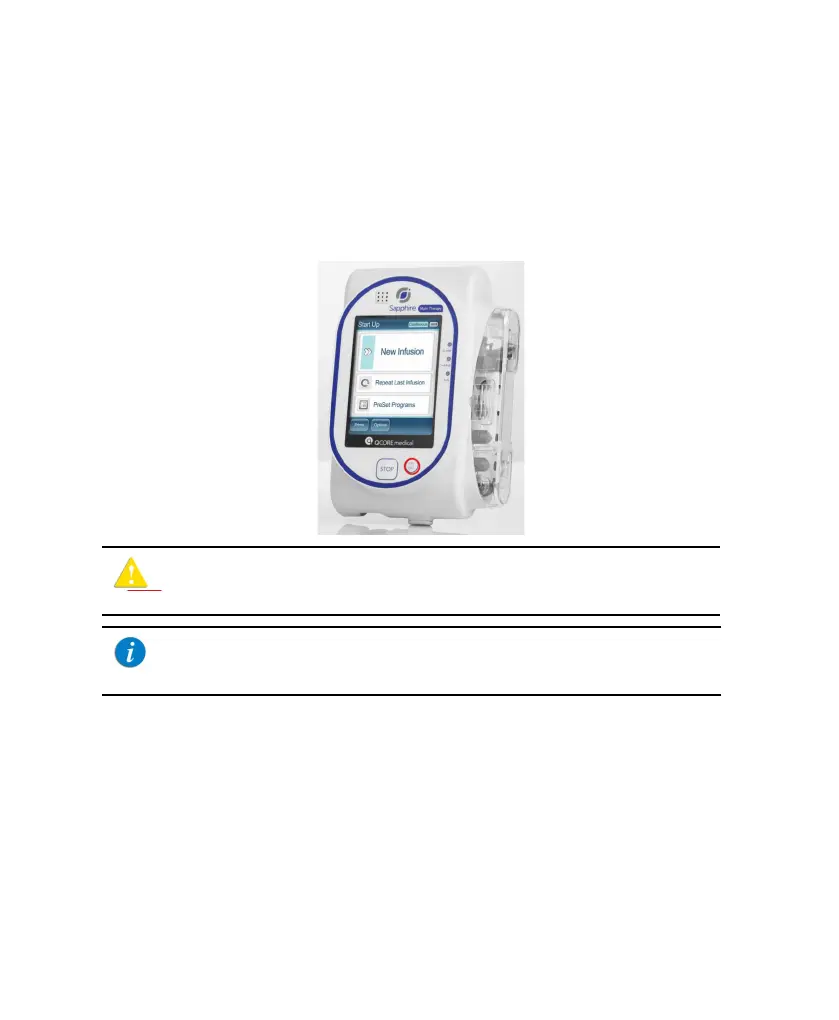
The pump is turned On by pressing the On/Off hard key, at the lower right corner of
the pump.
When a Drug Library is loaded, a message is displayed asking to accept or change the
current CCA. For more information about CCA, refer to Clinical Care Area (CCA) on
page 235.
Turning the Pump Off
Pressing the On/Off hard key for 5 consecutive seconds turns the pump Off.
Alternatively, press the On/Off hard key, and then, from the Attention screen, press
Off.
For more information about turning the pump Off during an infusion, refer to Aborting
Infusions on page 193.
While the pump turns On, a system check is performed. If you do
not hear a sound from the speaker, or if items on the screen do not
display properly, do not use the pump.
If a message regarding resuming previous infusion appears upon
turning the pump On, refer to Resuming Infusions After Pump
Shutdown on page 191.



 To Next Page