Fundamental Concepts and Operations
70
The following sections explain the structure and function of the Main Display and the
toolbar, provide an overview of the delivery modes, and describe special features that
can be enabled and disabled, according to user requirements:
Working with the Main Display ............................................................................... 70
Selecting Delivery Mode ......................................................................................... 76
Enabling Special Features ....................................................................................... 78
Working with the Main Display
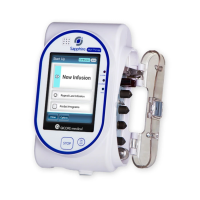
The Main Display is a touch screen that serves as a work area for programming infusion
parameters, and choosing from lists of possible selections. While an infusion is running,
selected infusion parameters and other relevant information (such as time left until
completion of the infusion) appear on the4 Main Display.
The following sections describe how to use the keypads, and provide an overview of
the main function keys and icons that appear on the Main Display.
Using the Keypad
Numeric keypad
The keypad is used for entering digits, to specify parameters for volumes, rates and
times, and typing drugs names when searching the Drug Library. As you press the
relevant digits, they are displayed in the frame at the top of the Main Display, replacing
the name of the parameter. Pressing Clr, at the lower left corner of the keypad, clears
all entered digits and lets you re-enter the value.
Chapter 3: Fundamental Concepts and
Operations



 To Next Page