Sapphire Infusion Pump User Manual45
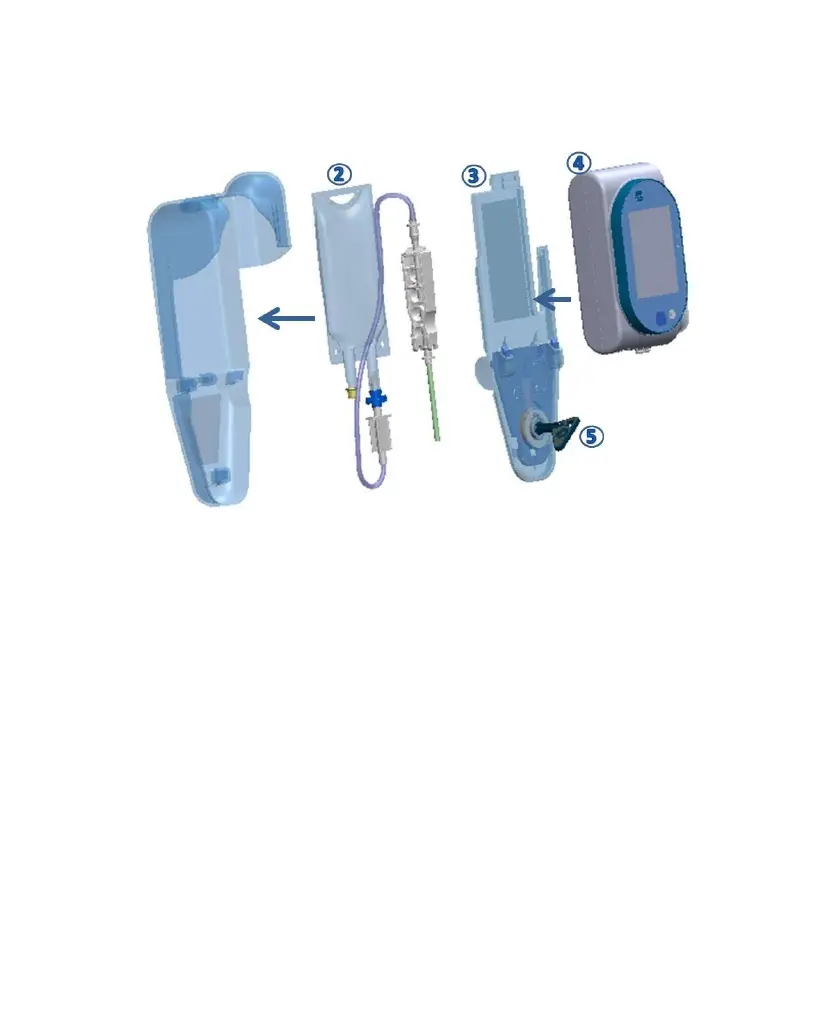
Figure 2.9. Lockbox 100mL: Workflow
5. Connect the administration set to the pump.
6. Close the box by sliding back the plastic cover (Figure 2.9, #3).
7. Place the pump on the plastic cover (Figure 2.9, #4), and secure it by locking the
box with the supplied key (Figure 2.9, #5).



 To Next Page