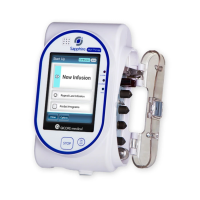
Sapphire Infusion Pump User Manual7
7. OPTIONS MENU: CONFIGURING,
V
IEWING AND TESTING.................................................198
Main Options: Overview ..................................................................198
Setting Delivery Mode .....................................................................199
Managing Configuration Settings ....................................................200
Managing Alarm Settings.................................................................200
Configuring Audio Settings .............................................................203
Configuring General Settings ..........................................................204
Defining Regional Parameters .........................................................208
Testing System Function...................................................................210
View Menu .........................................................................................211
Using Special Mode Options ...........................................................218
PCA Options Menu...........................................................................218
Epidural Mode Options Menu.........................................................219
8. USING ADVANCED FEATURES ...................................220
Managing Authorization Levels........................................................220
Setting Authorization Lock Levels ...................................................222
Password Re-entry............................................................................223
Creating and Editing PreSet Programs ............................................224
Using the Set Delay Feature.............................................................227
Using the New Patient Feature ........................................................231
Monitoring the Accumulated Volume Infused (Shift's Total) ............232
Viewing Accumulated VI...................................................................232
Clearing Accumulated VI..................................................................233
9. DRUG LIBRARY........................................................234
Overview ..........................................................................................234
Clinical Care Area (CCA) ..................................................................235
Changing a CCA ...............................................................................235
Programming a New Infusion with the Drug Library........................239
Drug Name........................................................................................239



 To Next Page