EasyManua.ls Logo

Eizo FlexScan EV2360 - User Manual

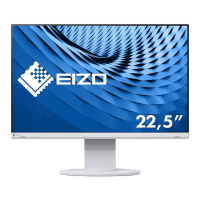
Eizo FlexScan EV2360
42 pages
Print Icon
To Next Page IconTo Next Page
Loading...
Important
Please read this “Users Manual, and “PRECAUTIONS” (separate
volume) carefully to familiarize yourself with safe and e󰀨ective
usage.
Refer to the “Setup Guide” for information on the installation /
connection of the monitor.
For the latest product information including the “User’s Manual”,
refer to our web site :
www.eizoglobal.com
Color LCD Monitor
Users Manual
Questo manuale d’istruzione è fornito da trovaprezzi.it. Scopri tutte le offerte per Eizo FlexScan
EV2360-WT o cerca il tuo prodotto tra le migliori offerte di Monitor LCD

Other manuals for Eizo FlexScan EV2360

Questions and Answers

  • I
    ibradySep 7, 2025
    How to display images over the entire Eizo FlexScan EV2360 screen area?
    • C
      Christopher WilsonSep 7, 2025
      If images are not displayed over the entire area of your Eizo monitor screen, try changing the “Picture Expansion” in the Setting menu.
  • S
    Stephanie GibbsAug 22, 2025
    How to fix Eizo FlexScan EV2360 Monitor when no picture and power indicator doesn't light up?
    • S
      Savannah LeeAug 22, 2025
      If your Eizo monitor isn't displaying a picture and the power indicator is off, try these steps: * Ensure the power cord is properly connected. * Turn on the main power switch located on the rear of the monitor. * Try turning the main power switch off, waiting a few minutes, and then turning it back on. * Increase the “Brightness”, “Contrast”, or “Gain” in the Setting menu. * Switch the input signal. * Turn “On” the “Compatibility Mode” in the “Administrator Settings” menu. * Move the mouse or press any key on the keyboard. * Verify that your PC is powered on. * Turn off the main power switch on the rear of the monitor and then turn it on again. * Use a recommended signal cable for the connection and cycle the monitor's power.
  • J
    Jonathan ReeseSep 4, 2025
    What to do if Eizo Monitor windows and icons are shifted after turning off/on?
    • C
      carrietoddSep 4, 2025
      If the positions of windows and icons are shifted when your Eizo monitor is turned off/on or when restored from power saving mode, try turning the setting “On” for “Compatibility Mode” on the “Administrator Settings” menu.
  • K
    Kathryn McintoshSep 3, 2025
    How to fix noise appearing on the Eizo FlexScan EV2360 screen?
    • T
      thomastaylorSep 3, 2025
      If you notice noise on your Eizo monitor screen, try setting “Overdrive” to “Off” in the Setting menu. Also, when inputting HDCP system signals, normal images may not be displayed immediately.
  • G
    garciachristineSep 2, 2025
    How to resolve afterimages on Eizo FlexScan EV2360 Monitor?
    • W
      William AlvarezSep 2, 2025
      To prevent afterimages on your Eizo monitor: * Avoid displaying the same image for extended periods. * Use a screen saver or power-saving function. * Change the image periodically or keep the power turned off for several hours.
  • C
    Christopher GarrettAug 31, 2025
    How to fix blurred text on my Eizo FlexScan EV2360 Monitor?
    • C
      charles28Aug 31, 2025
      If the text on your Eizo monitor appears blurred, ensure that your PC is configured to meet the resolution and vertical scan frequency requirements of the monitor. You can also try adjusting the “Sharpness” in the Setting menu.
  • C
    Chelsea GonzalesAug 30, 2025
    What to do if my Eizo FlexScan EV2360 USB devices connected to the monitor do not work?
    • L
      Linda ClarkAug 30, 2025
      If USB devices connected to your Eizo monitor aren't working, try these troubleshooting steps: * Check that the USB cable is correctly connected between your PC and the monitor, and between the peripheral and the monitor. * Try different USB ports on both the monitor and the PC. * Reboot your PC. * If “Compatibility Mode” is set to “Off,” change it to “On.” * Update to the latest USB 3.1 Gen 1 driver provided by the manufacturer, or connect the monitor to the USB 2.0 port. * Check the PC’s BIOS setting for USB when using Windows.
  • D
    davidsonmaryAug 28, 2025
    Why I cannot select items in the Setting menu on Eizo FlexScan EV2360?
    • A
      Andre WashingtonAug 29, 2025
      Items that are displayed with gray text cannot be changed.
  • S
    Samuel PittsAug 27, 2025
    Why can't I access the Setting menu on my Eizo FlexScan EV2360 Monitor?
    • L
      Lisa NguyenAug 28, 2025
      If the Setting menu does not appear on your Eizo monitor, check whether the switch operation lock function is active.
  • M
    Melissa KingAug 27, 2025
    Why does the brightness change on my Eizo Monitor by itself?
    • J
      Jessica AndersonAug 27, 2025
      If your Eizo monitor's brightness changes automatically, try setting the Auto EcoView setting to “Off.”

Eizo FlexScan EV2360 Specifications

General IconGeneral
Panel TypeIPS
Brightness250 cd/m²
Contrast Ratio1000:1
Viewing Angle178° horizontal / 178° vertical
VESA Mount100 x 100 mm
Aspect Ratio16:9
Color Depth8-bit
Response Time5 ms
ConnectivityHDMI, DisplayPort, DVI-D
Resolution1920 x 1080 (Full HD)

Related product manuals