EasyManua.ls Logo

Eizo FlexScan EV2360 - User Manual

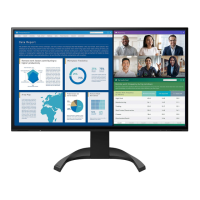
Eizo FlexScan EV2360
42 pages
Print Icon
To Next Page IconTo Next Page
Loading...
Important
Please read this “Users Manual, and “PRECAUTIONS” (separate
volume) carefully to familiarize yourself with safe and e󰀨ective
usage.
Refer to the “Setup Guide” for information on the installation /
connection of the monitor.
For the latest product information including the “User’s Manual”,
refer to our web site :
www.eizoglobal.com
Color LCD Monitor
Users Manual
Questo manuale d’istruzione è fornito da trovaprezzi.it. Scopri tutte le offerte per Eizo FlexScan
EV2360-WT o cerca il tuo prodotto tra le migliori offerte di Monitor LCD

Other manuals for Eizo FlexScan EV2360

Questions and Answers

  • A
    Alec MillerAug 25, 2025
    Why is my Eizo FlexScan EV2360 screen too bright or too dark?
    • C
      collinsheatherAug 26, 2025
      If your Eizo monitor's screen appears too bright or too dark, you can adjust it using the monitor's settings. Navigate to “Brightness” or “Contrast” in the Setting menu to adjust it. If the screen is too bright, you might also want to try turning the Auto EcoView setting to “On”.
  • Q
    qwolfAug 23, 2025
    What to do if Eizo FlexScan EV2360 Monitor shows no signal input or out of frequency range?
    • P
      Paula HuntAug 25, 2025
      If your Eizo monitor displays a message indicating no signal input or that the input signal is out of the specified frequency range, try the following: * Ensure your PC is turned on. * Verify the signal cable is properly connected. * Try switching the input signal. * Turn the monitor off and then on again using the main power switch on the rear. * Check that your PC's resolution and vertical scan frequency settings meet the monitor's requirements. * Reboot your PC.

Eizo FlexScan EV2360 Specifications

General IconGeneral
Panel TypeIPS
Brightness250 cd/m²
Contrast Ratio1000:1
Viewing Angle178° horizontal / 178° vertical
VESA Mount100 x 100 mm
Aspect Ratio16:9
Color Depth8-bit
Response Time5 ms
ConnectivityHDMI, DisplayPort, DVI-D
Resolution1920 x 1080 (Full HD)

Related product manuals