14
Chapter 2 Adjusting Screens
2-3. Adjusting Color
●
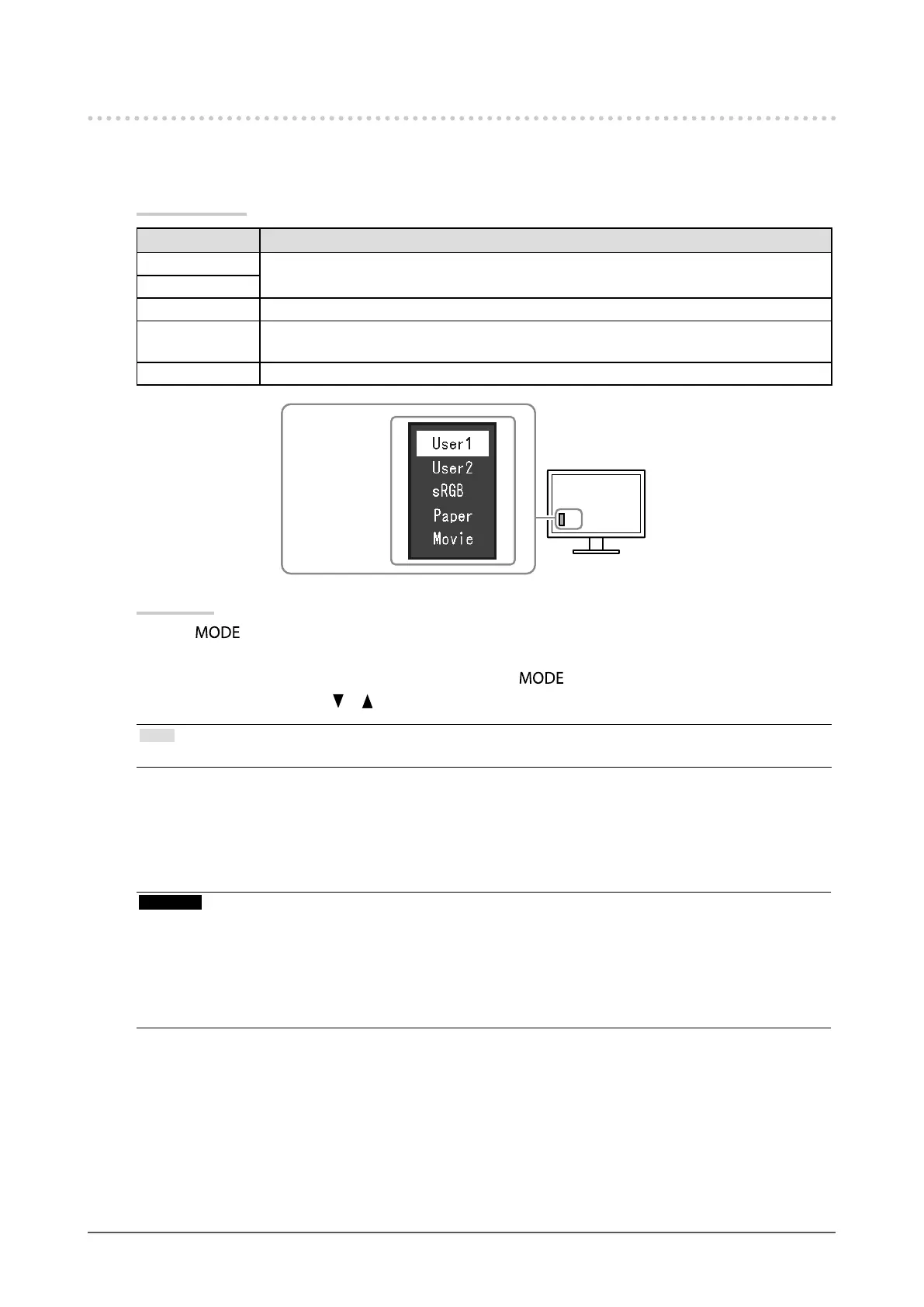
To select the display mode (color mode)
This function allows easy selection of a desired mode according to monitor application.
Display Modes
Mode Purpose
User1 Select this to dene a desired set of parameter settings.
User2
sRGB Suitable for color matching with sRGB compatible peripherals.
Paper Produces a printed paper effect. Suitable for displaying images from media such as books
and documents.
Movie Suitable for playing back animated images.
The mode menu
appears.
Procedure
1. Press
.
The mode menu appears at the bottom left of the screen.
2. The mode among the list is highlighted in turn each time is pressed.
You can switch the mode with
or while the mode menu is displayed.
Note
• The Setting menu and the Mode menu cannot be displayed at the same time.
●
To perform advanced adjustments
The “Color” menu of the Setting menu allows you to set and save the independent color adjustment for each
mode.
Attention
• It takes about 30 minutes for the monitor display to stabilize. Please wait 30 minutes or more after the monitor power
has been turned on, and then adjust the monitor.
• Perform the range adjustment rst when adjusting color for analog signals (see “To adjust color gradation
automatically” (page 21)).
• The same image may be seen in different colors on multiple monitors due to their monitor-specic characteristics.
Make ne color adjustment visually when matching colors on multiple monitors.










 To Next Page