EasyManua.ls Logo

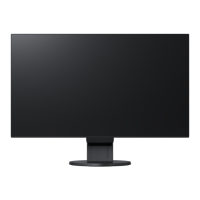
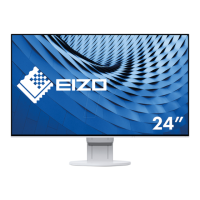
Eizo FlexScan EV2451-BK - User Manual

Eizo FlexScan EV2451-BK
49 pages
Print Icon
To Next Page IconTo Next Page
Loading...
Important
Please read PRECAUTIONS, this User’s Manual, and the Setup Guide
(separate volume) carefully to familiarize yourself with safe and
effective usage.
Please refer to the Setup Guide for basic information ranging from
connection of the monitor to a PC to using the monitor.
For the latest product information including the User’s Manual, refer
to our web site :
http://www.eizoglobal.com
Color LCD Monitor
Users Manual

Table of Contents

Questions and Answers

  • M
    Monica BrownAug 30, 2025
    How to fix incorrect display position on Eizo Monitor?
    • W
      William ParsonsAug 30, 2025
      If the display position on your Eizo Monitor is incorrect, use the “Position” setting in the Setting menu to correct it. If the problem persists, use the graphics board’s utility, if available, to change the display position.
  • K
    Kaylee RichardsonAug 29, 2025
    How to fix the image not displaying on the entire screen of my Eizo FlexScan EV2451-BK Monitor?
    • R
      Robert BeasleyAug 29, 2025
      If the image on your Eizo Monitor does not display on the entire screen, try changing the “Picture Expansion” setting in the Setting menu.
  • W
    Wendy HoltAug 29, 2025
    What to do if Eizo Monitor says input signal is out of range?
    • J
      james42Aug 29, 2025
      If your Eizo Monitor displays the message that the input signal is out of the specified frequency range, check whether the PC is configured to meet the resolution and vertical scan frequency requirements of the monitor. You may also try rebooting the PC or selecting an appropriate setting using the graphics board’s utility.
  • K
    Kathleen WalkerSep 12, 2025
    How to fix blurred text on my Eizo FlexScan EV2451-BK Monitor?
    • K
      Kathy ShafferSep 12, 2025
      If the text on your Eizo monitor appears blurred, first, ensure that your PC is configured to meet the monitor's resolution and vertical scan frequency requirements. If that doesn't resolve the issue, try adjusting the Sharpness setting in the Setting menu.
  • W
    Wesley PenningtonSep 16, 2025
    How to remove noise from the screen of my Eizo Monitor?
    • J
      Jesse MooreSep 16, 2025
      To remove noise from the screen of your Eizo monitor, set Overdrive to Off in the Setting menu.
  • J
    John MurphySep 23, 2025
    How to fix noise on Eizo FlexScan EV2451-BK Monitor screen?
    • A
      Andrew MaldonadoSep 23, 2025
      If noise appears on the screen of your Eizo Monitor, set “Overdrive” to “Off” in the Setting menu. Also, when inputting HDCP system signals, normal images may not be displayed immediately.
  • D
    Desiree LongAug 27, 2025
    What to do if my Eizo Monitor image does not display on the entire screen?
    • K
      Kenneth JohnsonAug 27, 2025
      If the image on your Eizo monitor does not display on the entire screen, try changing the “Picture Expansion” setting in the Setting menu.
  • L
    Loretta JordanAug 26, 2025
    How to adjust brightness on Eizo FlexScan EV2451-BK Monitor?
    • E
      Ellen RoyAug 27, 2025
      If your Eizo Monitor screen is too bright or too dark, you can adjust it using the settings menu. Use the “Brightness” or “Contrast” options to fine-tune the display. If the screen is too bright, you might also want to try changing the Auto EcoView setting to “On.”
  • A
    Ashley ArnoldAug 26, 2025
    How to adjust brightness on Eizo FlexScan EV2451-BK Monitor if the screen is too bright or dark?
    • T
      timothyyoungAug 26, 2025
      If your Eizo monitor screen is too bright or too dark, use the Brightness or Contrast settings in the Setting menu to adjust it. Alternatively, if the screen is too bright, try setting the Auto EcoView setting to On.
  • R
    Robert RomeroAug 25, 2025
    How to fix an Eizo FlexScan EV2451-BK when there is no picture and the power indicator is off?
    • A
      Amanda GreeneAug 26, 2025
      If your Eizo monitor isn't displaying a picture and the power indicator isn't lit, try these steps: First, ensure the power cord is properly connected. Next, turn on the main power switch located on the rear of the monitor. If it still doesn't work, turn off the main power switch, wait a few minutes, and then turn it back on.

Eizo FlexScan EV2451-BK Specifications

General IconGeneral
BrandEizo
ModelFlexScan EV2451-BK
CategoryMonitor
LanguageEnglish

Related product manuals